Attendance Report
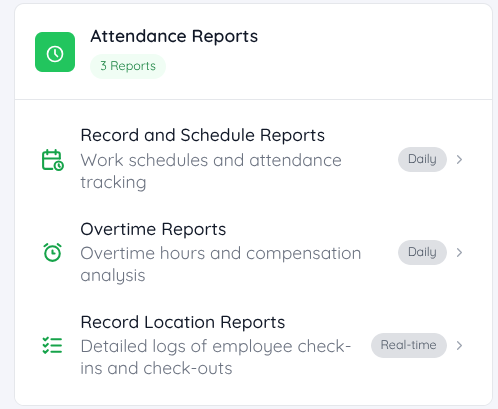
Under the Attendance Report category, there are three types of reports available for management to gain more detailed insights.
Record and Schedule Reports
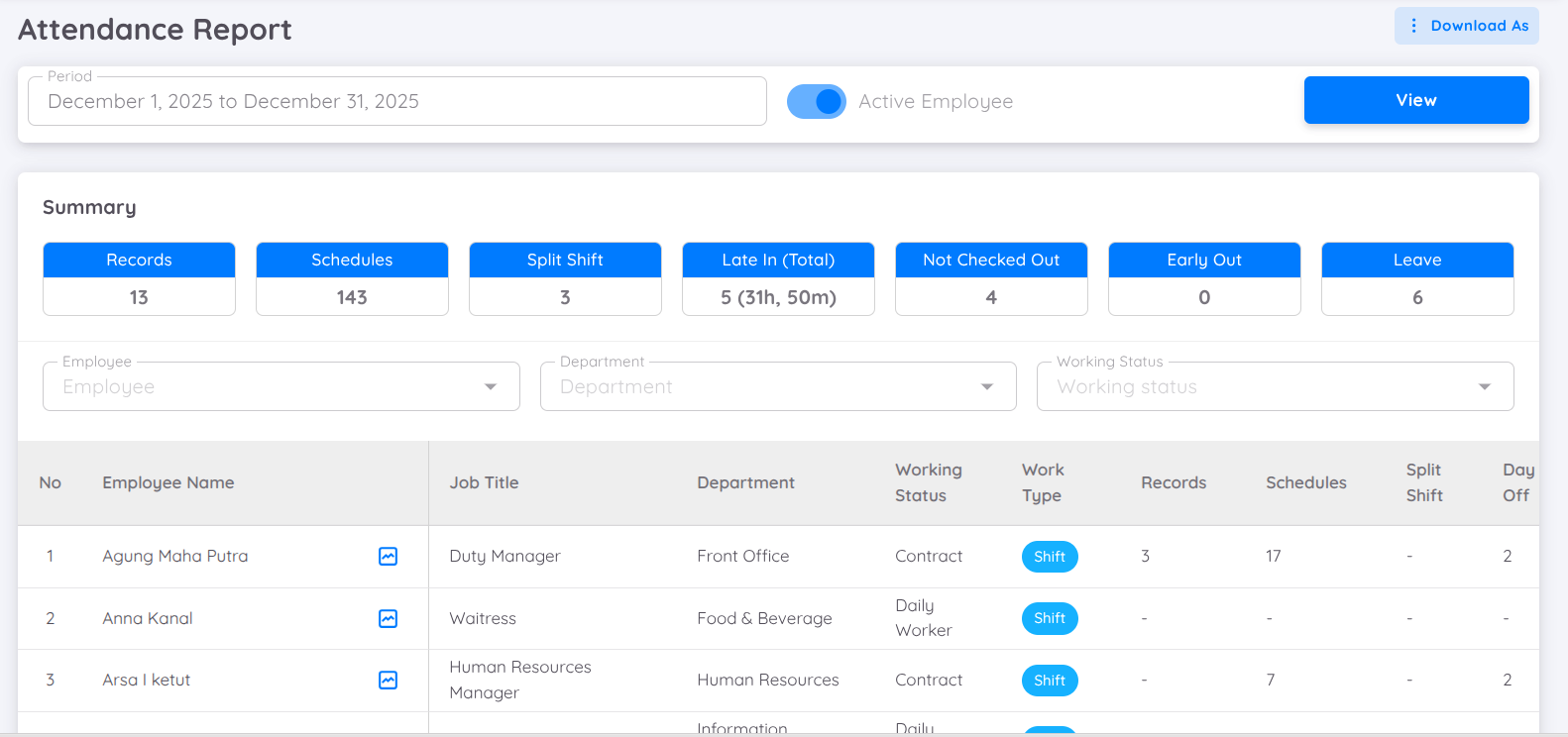
Record and Schedule Reports provide detailed information about employee attendance and absence. These reports can be used to monitor attendance discipline, compliance with work schedules, and overall attendance effectiveness.
The report data can be filtered based on the employee contract status, including active and inactive employees, within a specific period.
The data displayed in the report can also be customized using the Column Filter feature by selecting the required information columns according to the reporting needs.
Information Displayed
The report provides various types of attendance-related information, including:
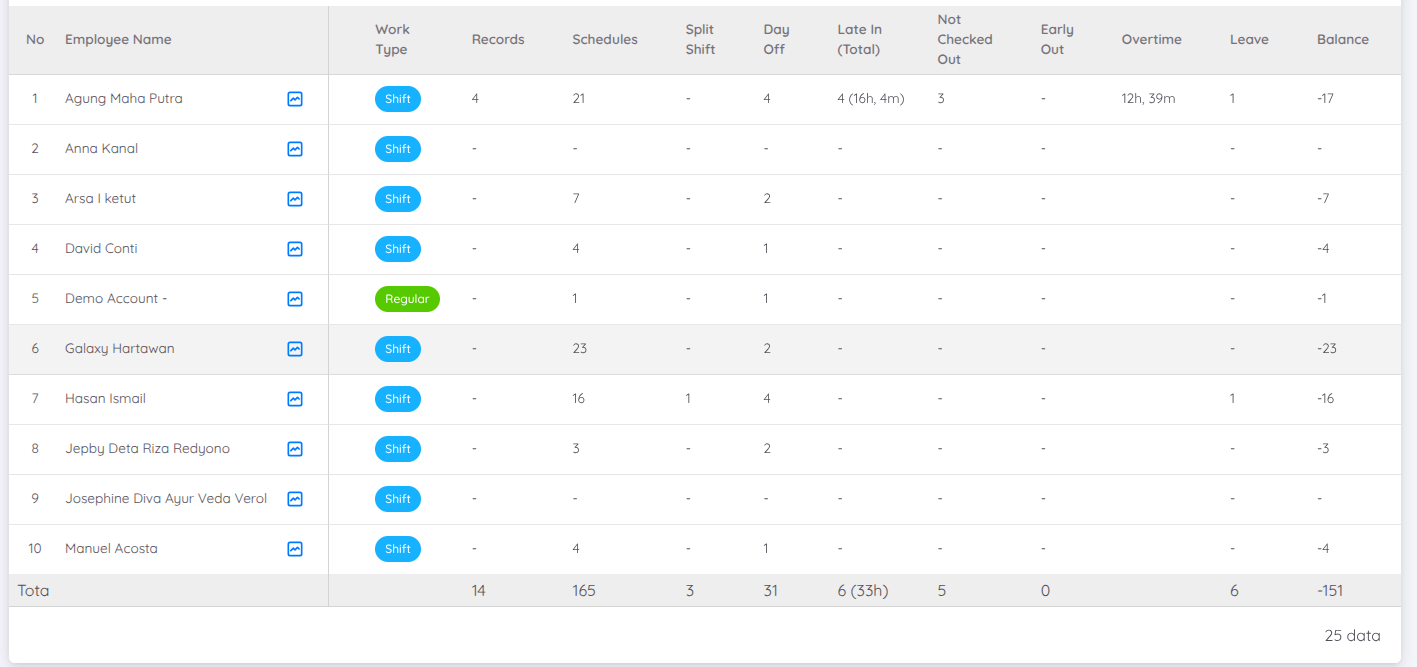
- Attendance Summary: Displays a summary of employee attendance data based on the selected period.
- Total Schedule: Displays the total number of work schedules assigned to each employee.
- Number of Split Shift Schedules: Displays the total number of work schedules using the split shift system.
- Number of Late Arrivals: Displays the number of late arrival occurrences and the total duration of lateness.
- Total Overtime: Displays the total working hours performed outside the assigned work schedule.
- Leave Taken: Displays the total amount of leave taken within a specific period.
- Balance: Displays the difference between the number of attendance records (Records) and assigned work schedules (Schedules), specifically for employees with a Shift work type. A normal Balance value is 0, indicating that the number of attendance records matches the number of assigned schedules.
Attendance Changelog
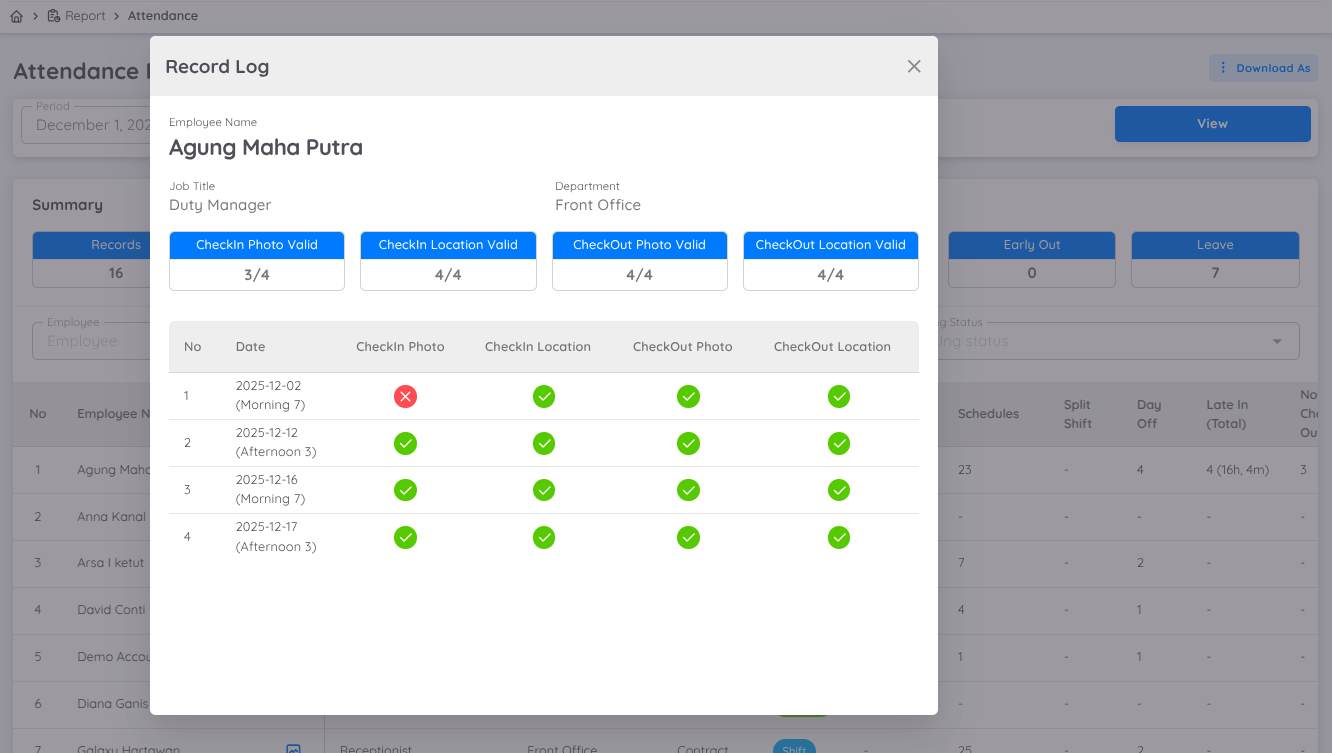
The Attendance Report includes a Changelog feature to view the history and validity of employee attendance data.
The available information includes:
- Valid and Invalid Attendance Location: Displays the number of attendance records made at valid and invalid locations.
- Valid and Invalid Attendance Photo: Displays the number of attendance photos that are valid and invalid.
- Attendance Validation Details: Displays the validity details of the photo and location for each attendance record.
This feature supports more detailed monitoring and validation of attendance data.
Record Location Reports
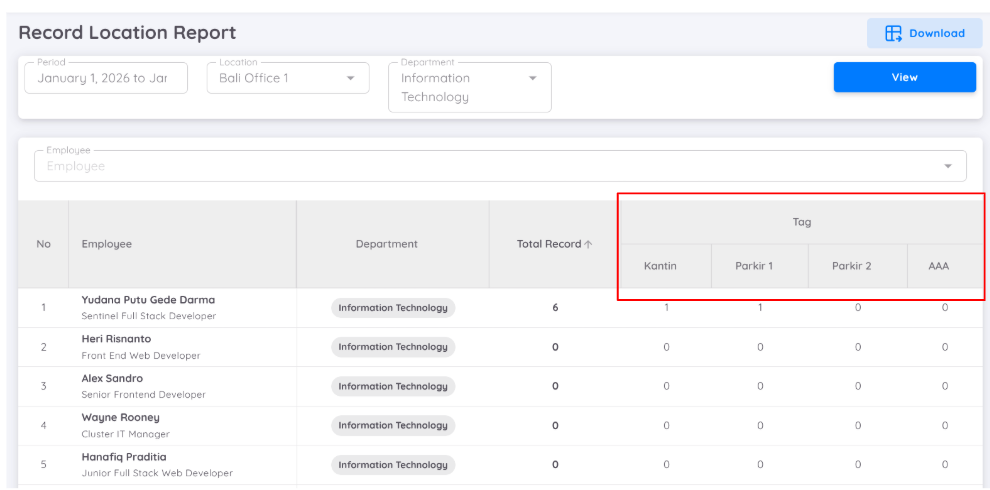
Record Location Report provides detailed check-in and check-out logs based on location. The report can be accessed through Report Menu → Attendance Reports, allowing attendance data based on location and Location Tag to be reviewed in greater detail.
In the Record Location Report, a data period must be selected before the information is displayed. Additional filters are also available to filter the data by Location and Department.
The report provides the following information:
- Employee Name
- Department
- Total Record
- Location Tag
A search feature is also available to search by employee name and display specific attendance data.
Once the data is displayed, the Download button becomes available to download the report results.
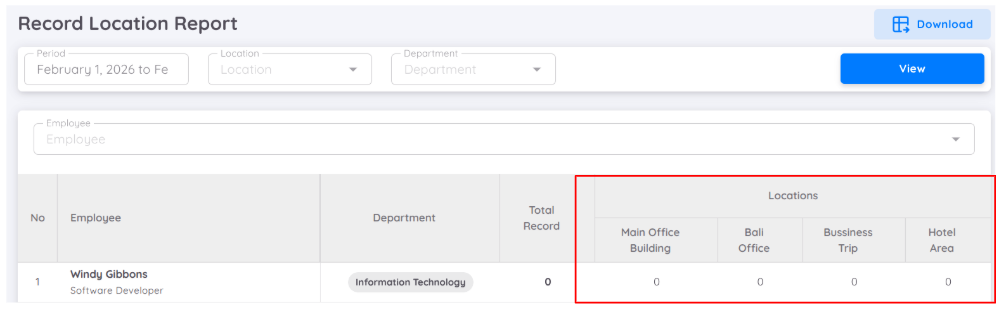
If the report is filtered by Location, the data will be displayed according to the selected Location Tag. If no location filter is applied, the report will display data from all locations available within the property.
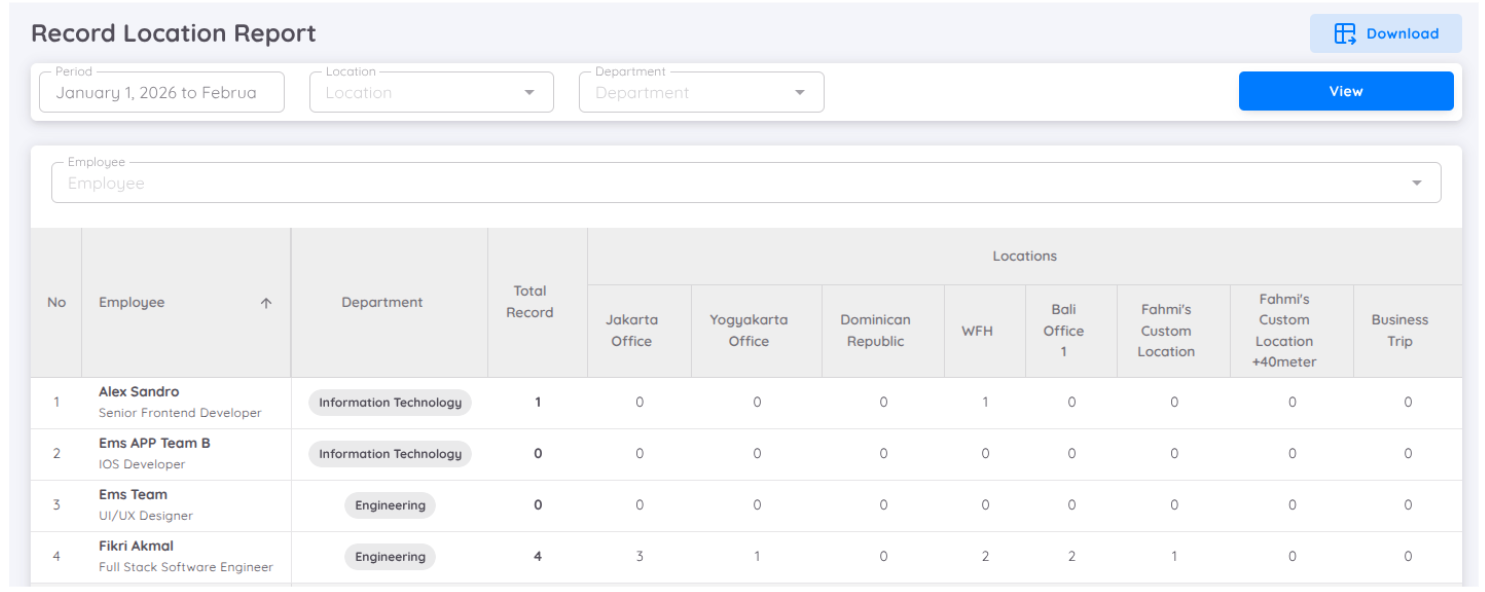
Total Record and Location
The Record Location Report displays the number of employee attendance activities within the selected period, along with the distribution of locations where the attendance activities took place.
- Total Record shows the total number of attendance activities, including both check-in and check-out, performed within the selected period.
- Location shows the locations where attendance activities took place. The values in this column do not represent a sum of Total Record and do not necessarily have to match the Total Record value.
- The value shown for each location indicates that an attendance activity occurred at that location and does not represent the total frequency of all attendance activities.
Example:
An employee has Total Record = 2 within the selected period, with the following location details:
- Jakarta Office: 2
- WFH: 1
- Bali Office: 1
This means:
- There are a total of 2 attendance activities within the selected period.
- If a check-in or check-out is performed at multiple locations within a single schedule, each location will be recorded separately in the location columns.
- An employee may appear in multiple location columns within a single schedule.
- Total Record represents the total number of attendance activities, while the Location columns indicate where those activities took place.
Note
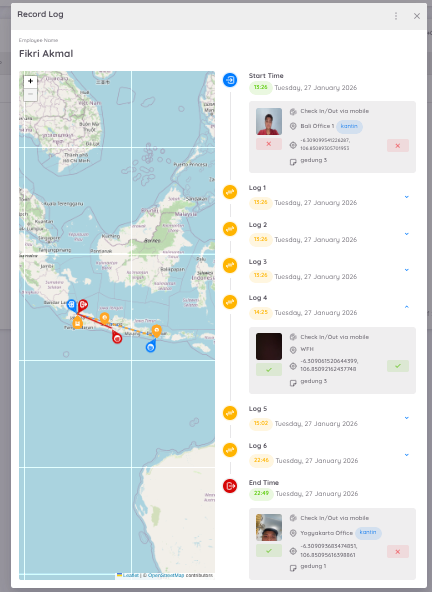
In the attendance record log, each attendance activity will be recorded when an employee performs attendance at multiple locations within a single schedule.
Each log includes the corresponding location and Location Tag, providing clear visibility into attendance activities based on location.
The location data is then reflected in the Record Location Report, where the locations involved during the selected period are summarized based on the recorded attendance activities.