Training
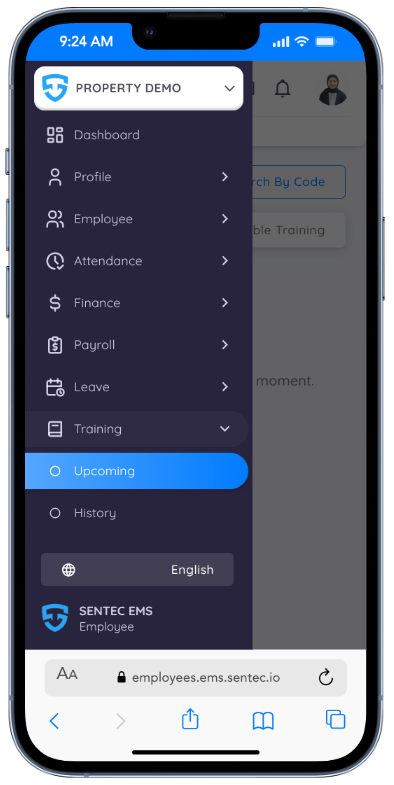
Employees have the opportunity to participate in training sessions organized by the company. Through this menu, employees can view detailed information about each training, register for sessions, attend training, and review the history of training sessions they have completed.
All registered training sessions are synchronized with the employee’s calendar. On the day of the training, employees will receive reminders, and a notification will appear on the dashboard to ensure timely participation.
Register and Join Training
View Available Training
Employees can view available training sessions through:
- Upcoming Training menu
- Located under the Available Training Tab
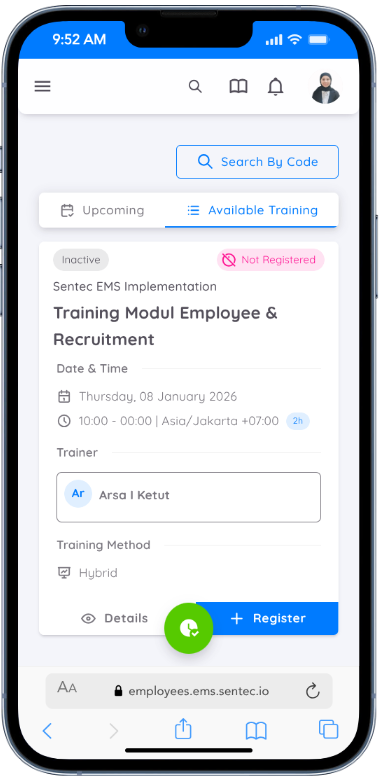
How to Join a Training Session
There are two ways to join a training:
Browse Training
- Go to the Available Training tab
- Select a session you are interested in
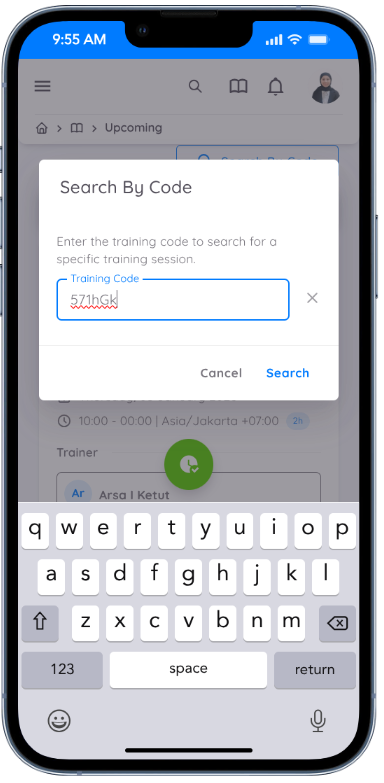
Search by Training Code
- Enter the training code provided by HR or the organizer
Register for Training
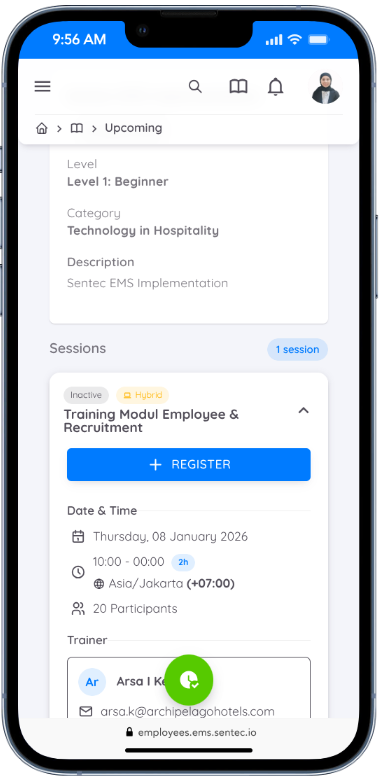
After searching by code or selecting a training:
- You will be redirected to the Training Details page
- Click Register to join the session
Upcoming Training
Once registered:
- The session will appear in the Upcoming Training tab
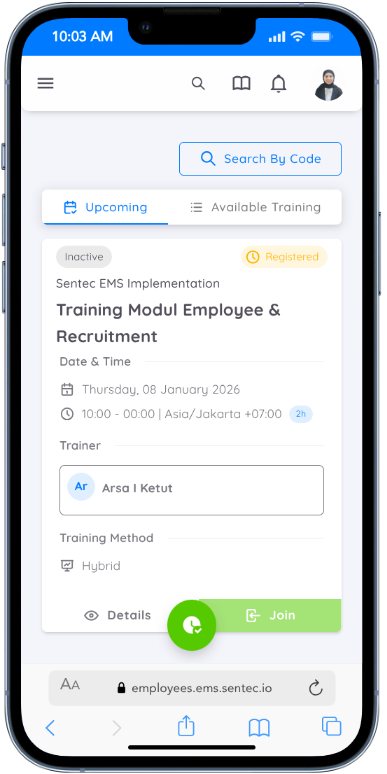
Join Training Session
On the scheduled day and when the session is activated:
- Click the Join button when you are ready to attend
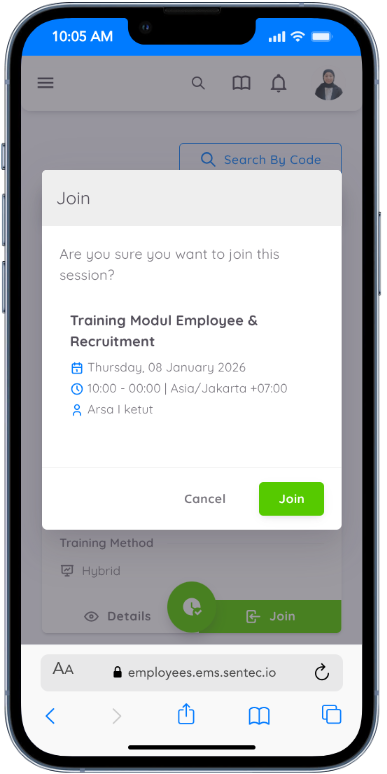
Participant Verification
- The organizer will verify participants during the session
- Once verified, your attendance will be recorded
Training History
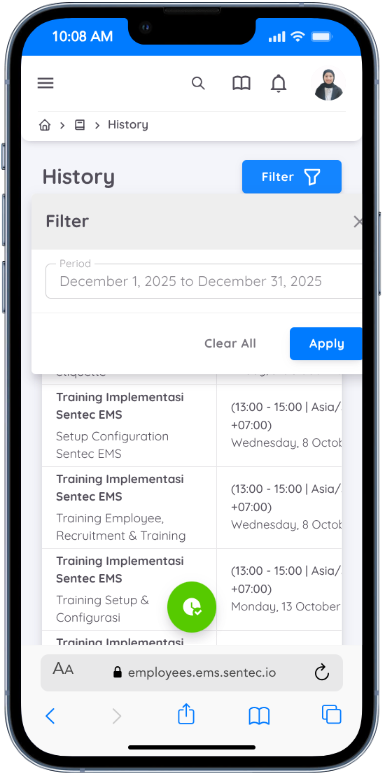
All training sessions that an employee has attended and have been verified by the organizer will be listed under Training History. Employees can also apply filters based on a specific period to view training participation within a selected date range.
And all training records and details of sessions you have attended can be accessed through the employee's Profile.
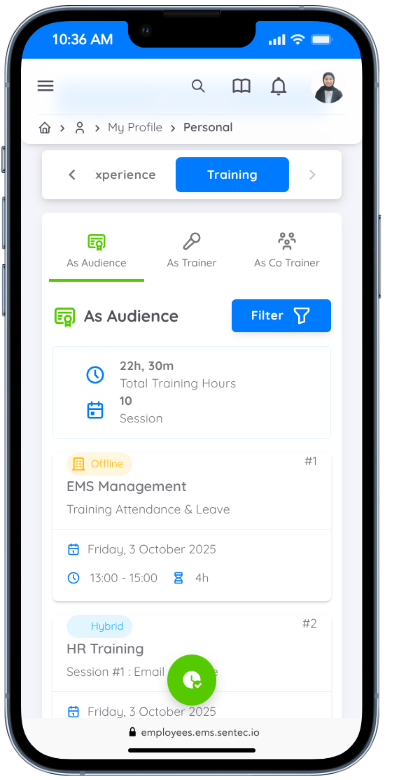
Manage Training (HOD Access)
If you are a Head of Department (HOD), you have access to create and manage training sessions for employees within your department.
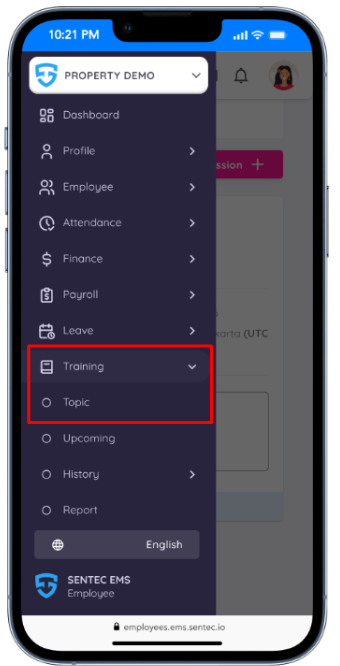
HODs can manage and add sessions through the Training → Topic menu.
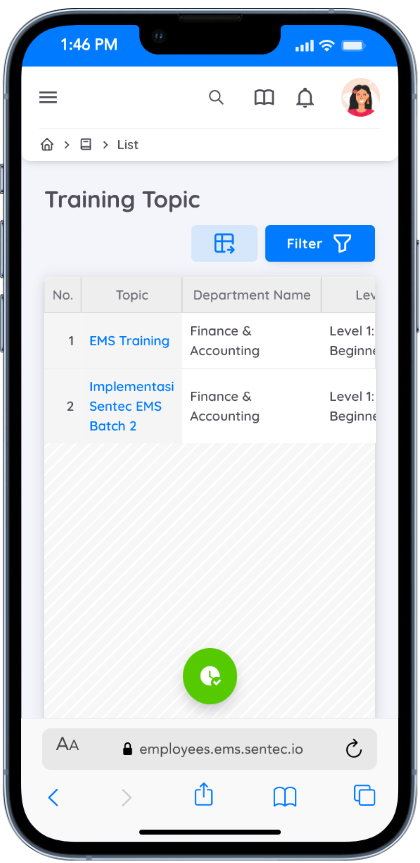
All available training topics will be displayed in the Topic Menu. These topics are assigned by Management.
Training Flow
Topic Assignment
Management/HR assigns training topics to specific departments.Session Creation by HOD
Once a topic is assigned, the HOD can create training sessions based on that topic.Session Management
The HOD can manage session details, including scheduling, participants, and updates.Attendance Verification
After the session is conducted, the HOD can verify and manage employee attendance.
Add Session
To add a session under a training topic:
- Go to the Training Topic
- Click Add Session
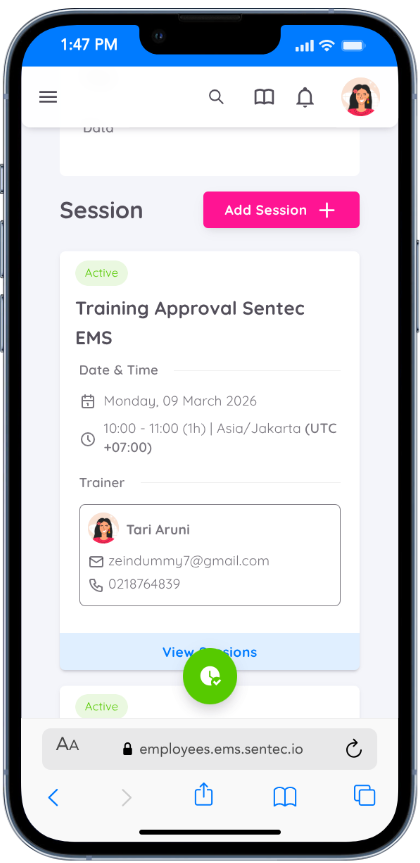
HODs need to fill in the required session details:
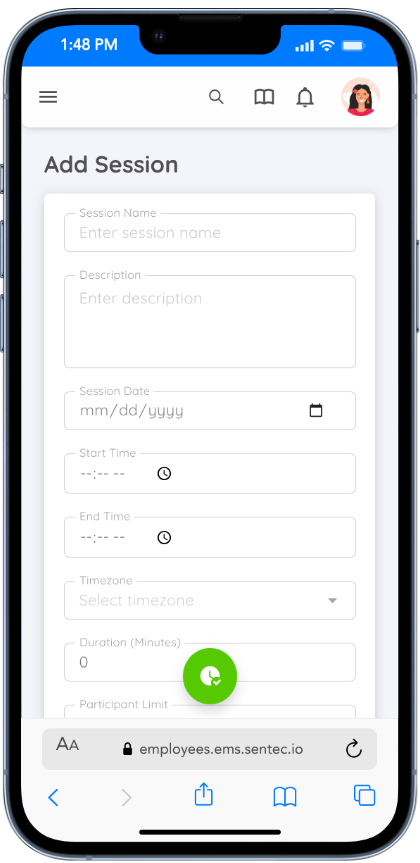
| Field | Description |
|---|---|
| Session Name | The title of the training session |
| Description | A brief explanation of the session content |
| Session Date | The scheduled date of the training |
| Start Time | The time when the session begins |
| Timezone | The applicable time zone for the session |
| Duration | Total duration of the training session |
| Training Method | Choose between Online, Offline, or Hybrid |
| Search Trainer | Select a trainer from internal employees |
| Trainer Name | Auto-filled for internal trainers, or manually entered for external trainers |
| Meeting Link | Required if the session is Online or Hybrid |
Manage Session
Within each session, the HOD can:
- Add Additional Information: Upload supporting materials such as session photos or documents.
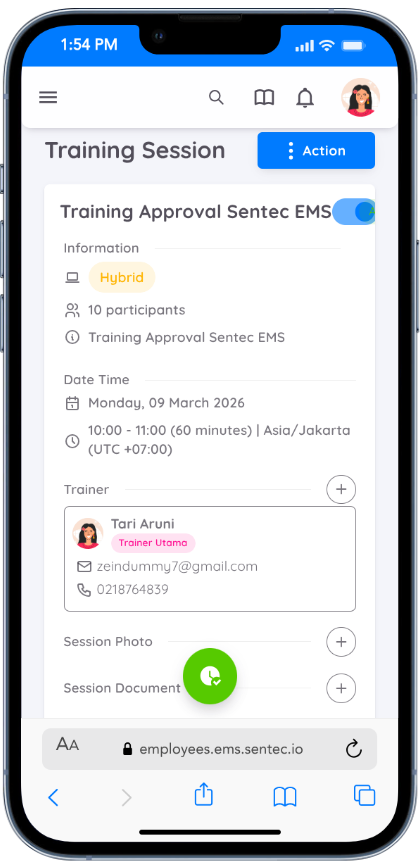
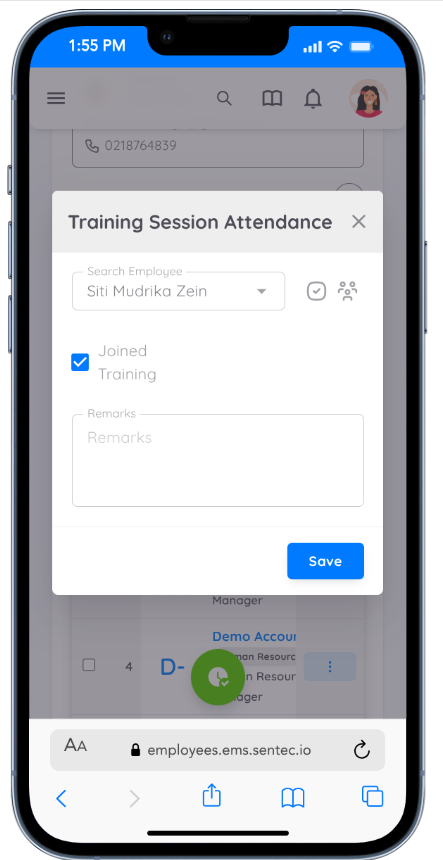
- Add Manual Attendance: Manually add participant attendance if needed.
- Verify Attendance: Review and confirm participant attendance for the session.
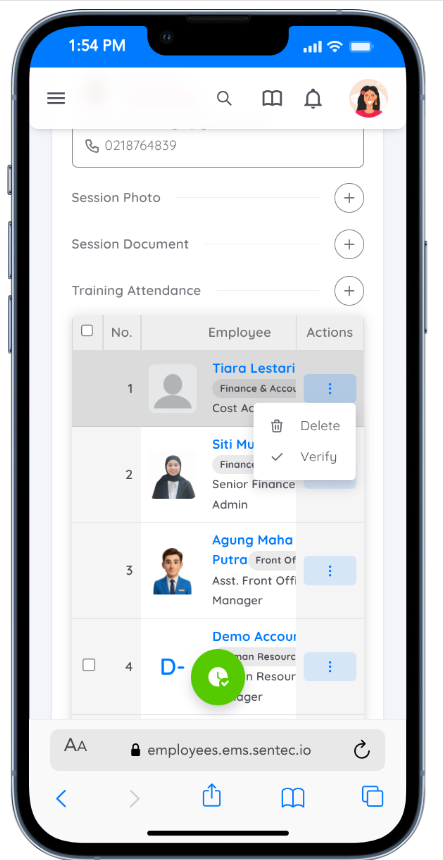
- Delete Attendance: Remove participant attendance records to correct or update data when necessary.
NOTE
The training session must be activated on the scheduled day. Otherwise, participants will not be able to click the Join button on their page.