Reprimand
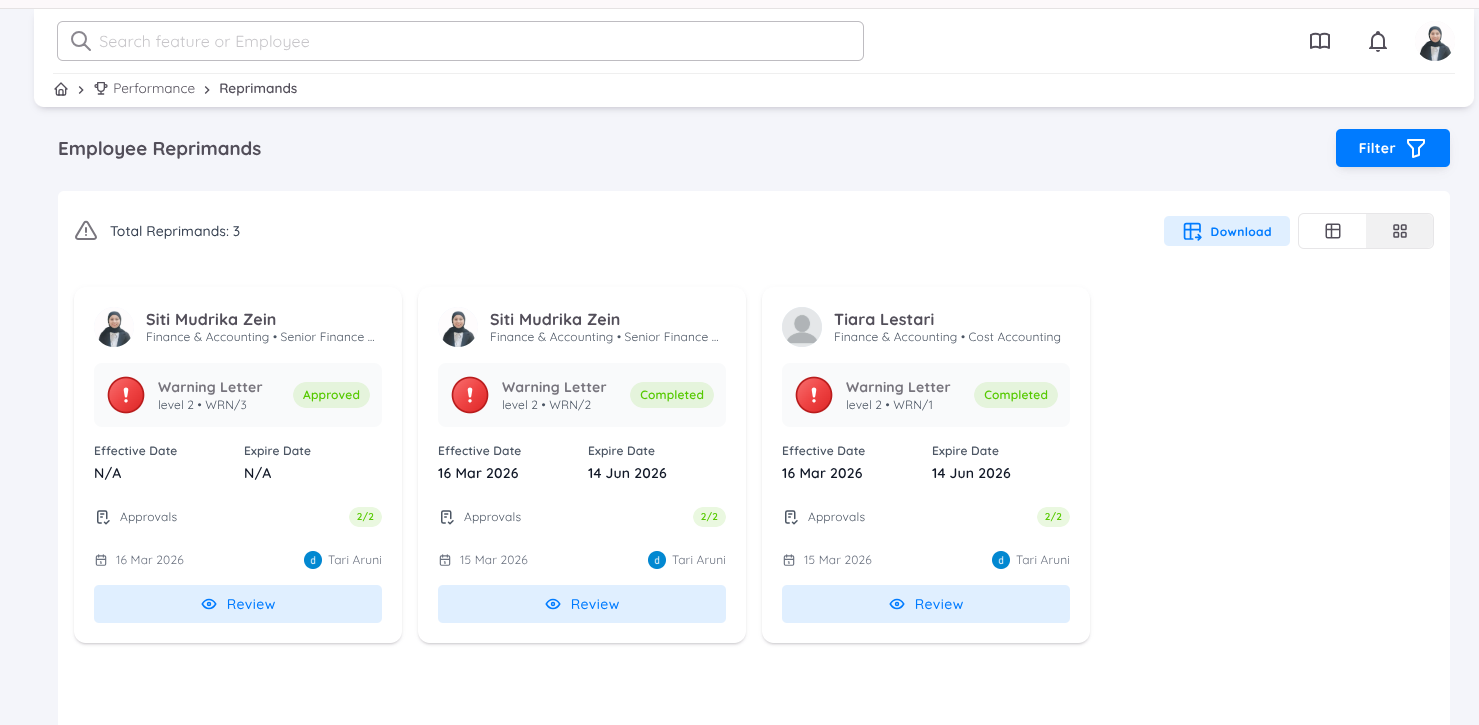
The Reprimand module enables Management to document, monitor, and manage employee disciplinary actions within the system in a structured and controlled manner.
At present, reprimands can only be issued by the Head of Department (HOD) and/or the Property Leader through the Employee Page, as part of the employee performance and conduct management process.
All reprimands created or assigned by the HOD will be accessible on the Management Page, and users with an access are provided with the following capabilities:
- View the list of assigned reprimands
- Generate or upload reprimand letters
- Download reprimand letters
Prior to assigning a reprimand to an employee, a reprimand template must be configured via the Configuration section.
Reprimand Details
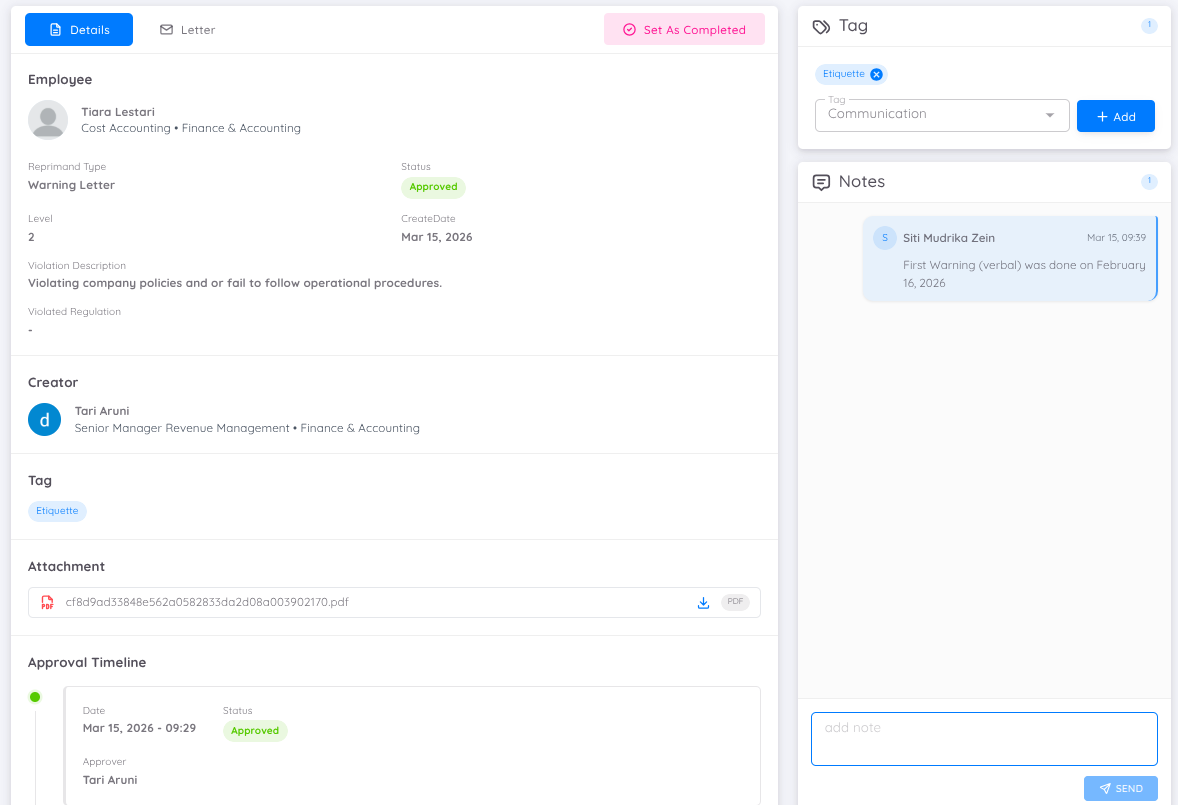
Within the Reprimand Details page, Management or HR can perform the following actions:
- Assign tags to categorize the reprimand
- Record notes related to the reprimand
- Download supporting attachments
- Review the approval timeline, including the full history of the approval process
This section provides comprehensive visibility and ensures proper documentation of the reprimand lifecycle.
Note
The available tags are derived from Employee Tags configured in the Setup section.
Managing Reprimand Letter
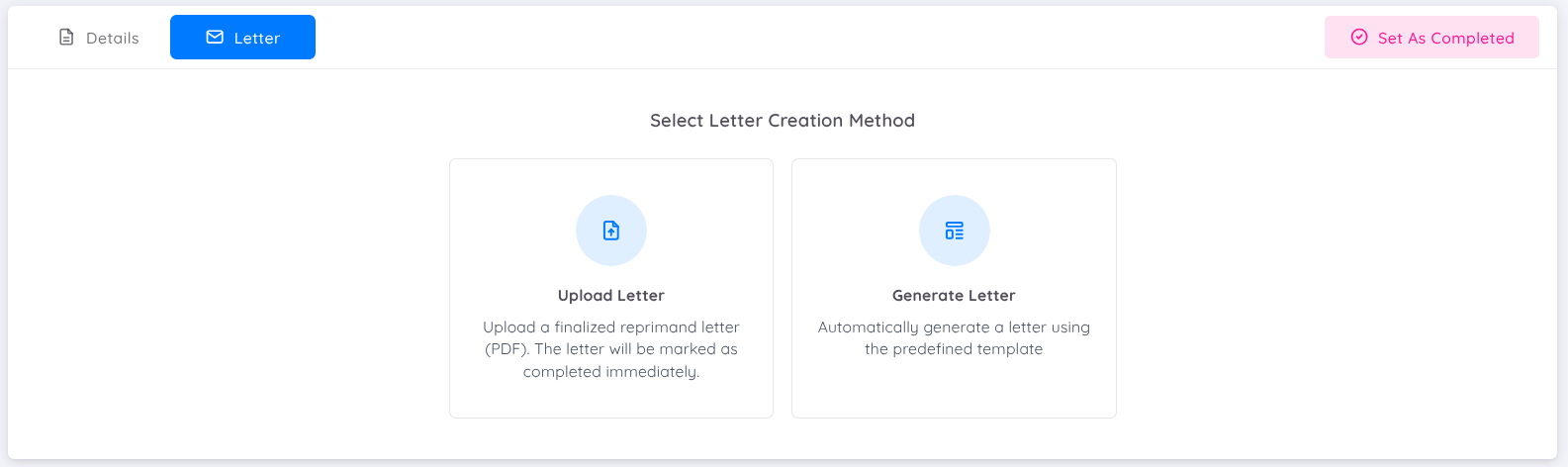
The reprimand letter is managed through the Letter tab. Within this section, Management can:
- Upload an existing reprimand letter, or
- Generate a reprimand letter automatically
Automatically generated letters are based on the selected reprimand template, including predefined formats and placeholders. This ensures consistency, accuracy, and standardization across all reprimand documentation.
When a letter is generated from a template, Management or HR may review and manage the generated content as required.
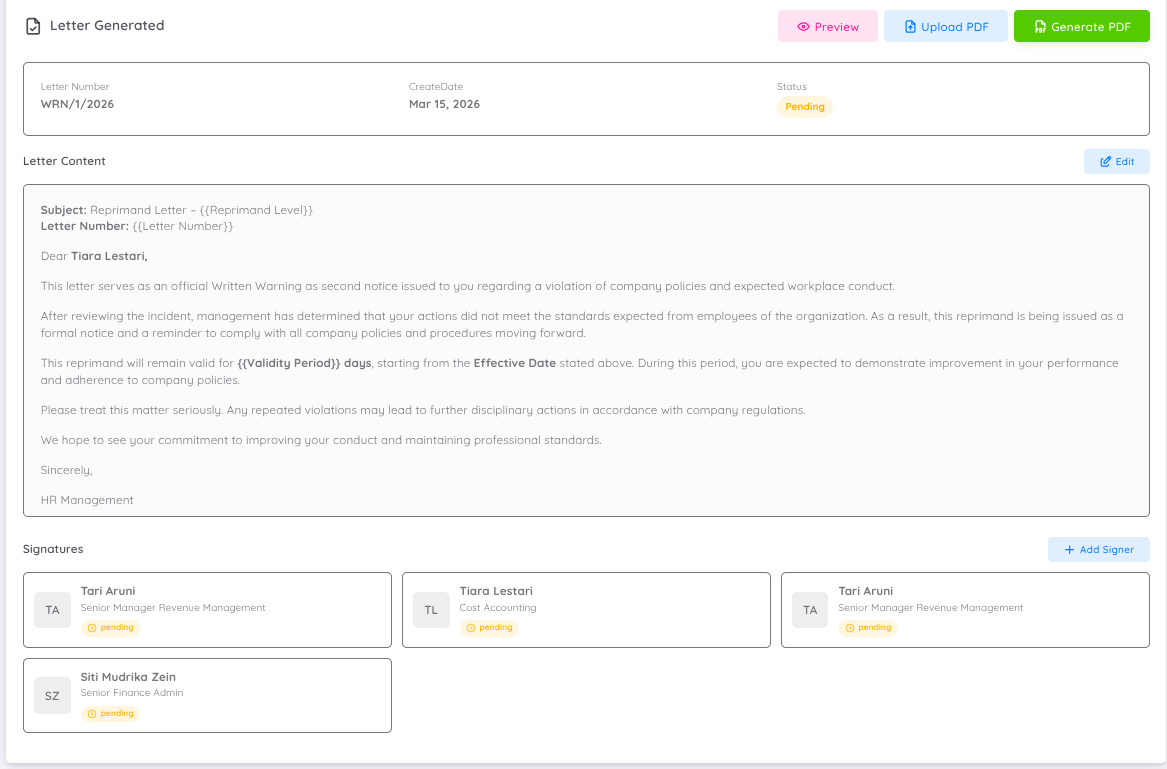
This section displays key metadata associated with the generated letter, including:
- Letter Number – A unique identifier generated based on the configured letter prefix
- Create Date – The date on which the letter was generated
- Status – The current status of the letter (e.g., Pending, Approved)
Letter Content
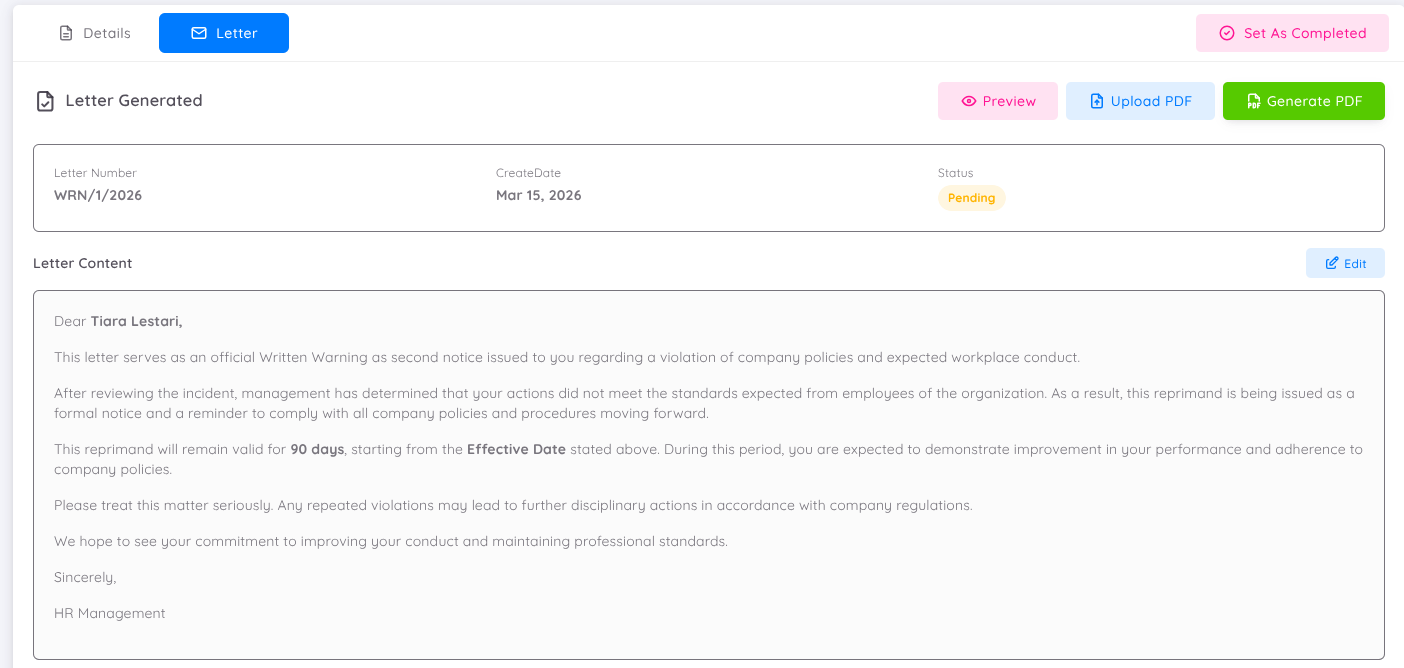
The Letter Content section displays the generated reprimand letter. Within this section, users may:
- Preview the generated letter
- Edit the content where necessary
- Upload a PDF version of the letter if prepared externally
Important:
Uploading a PDF will:
- Replace the existing letter content
- Automatically mark the letter as Completed
- Bypass any pending signature processes
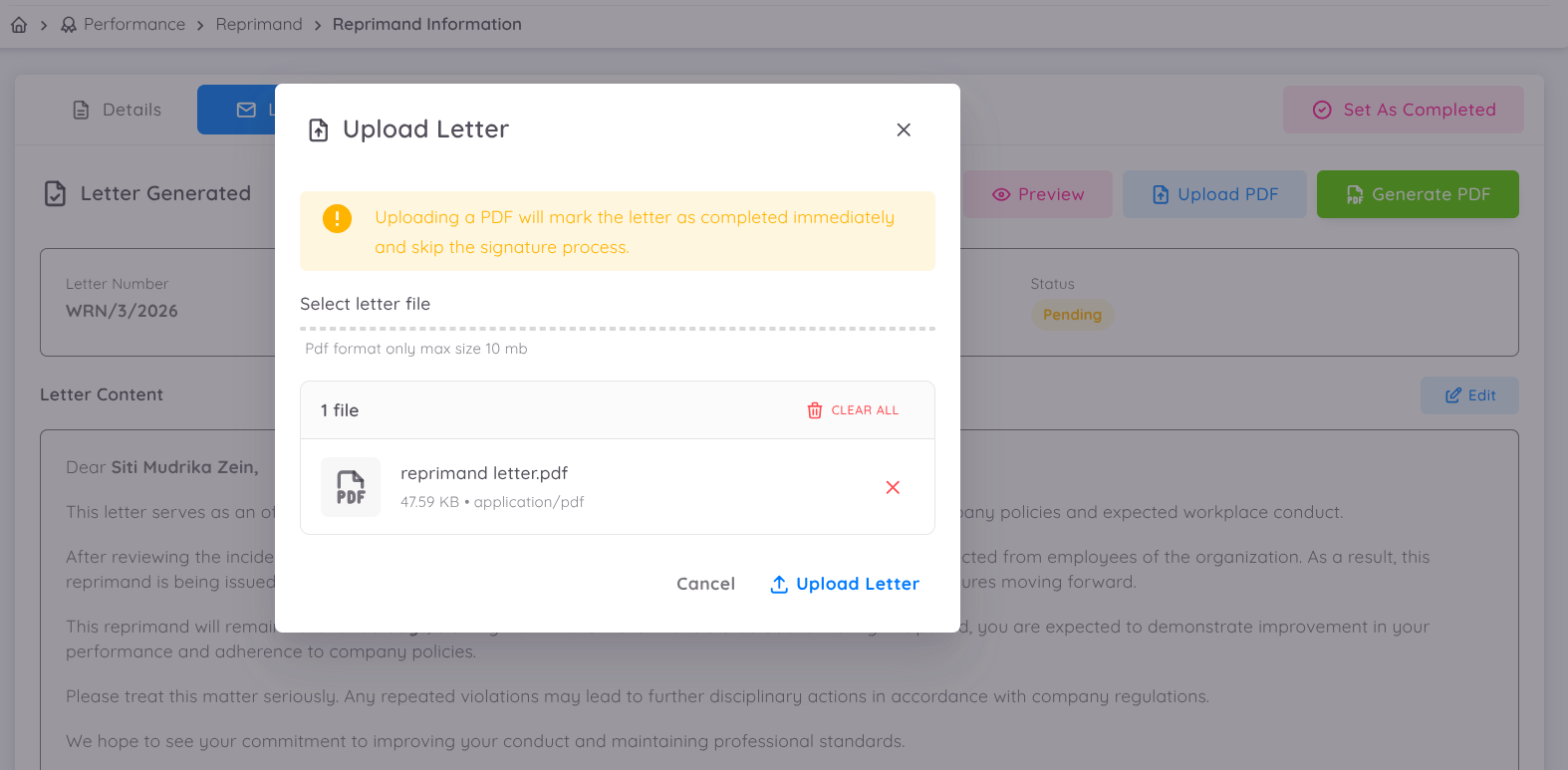
This action is irreversible.
Users may also generate a PDF directly from the system, incorporating the current content and collected signatures.
Signatories
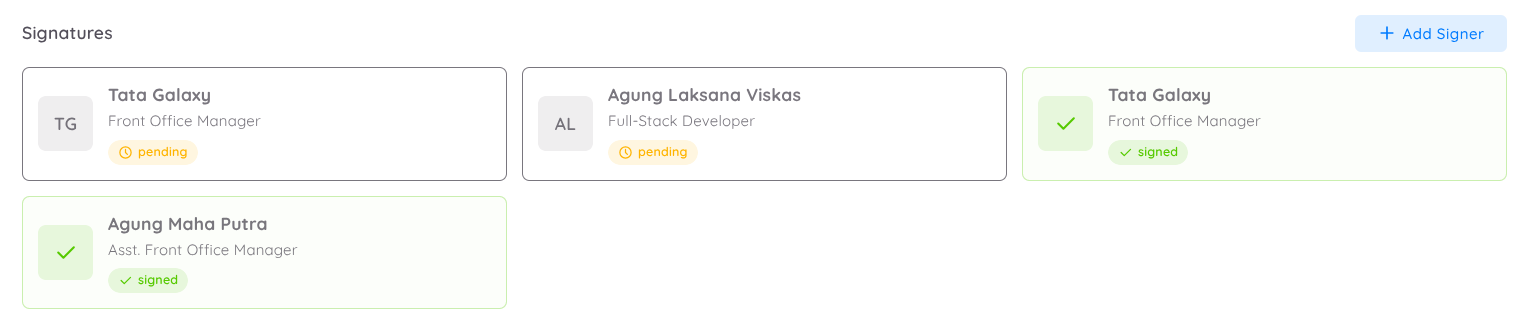
If the reprimand letter is automatically generated from the available template, the signatories will be included by default. The signing process will involve:
- The Head of Department (HOD) as the issuer
- The assigned approver (if applicable)
- The employee receiving the reprimand
Additional signatories may be added as required to align with organizational authorization procedures.
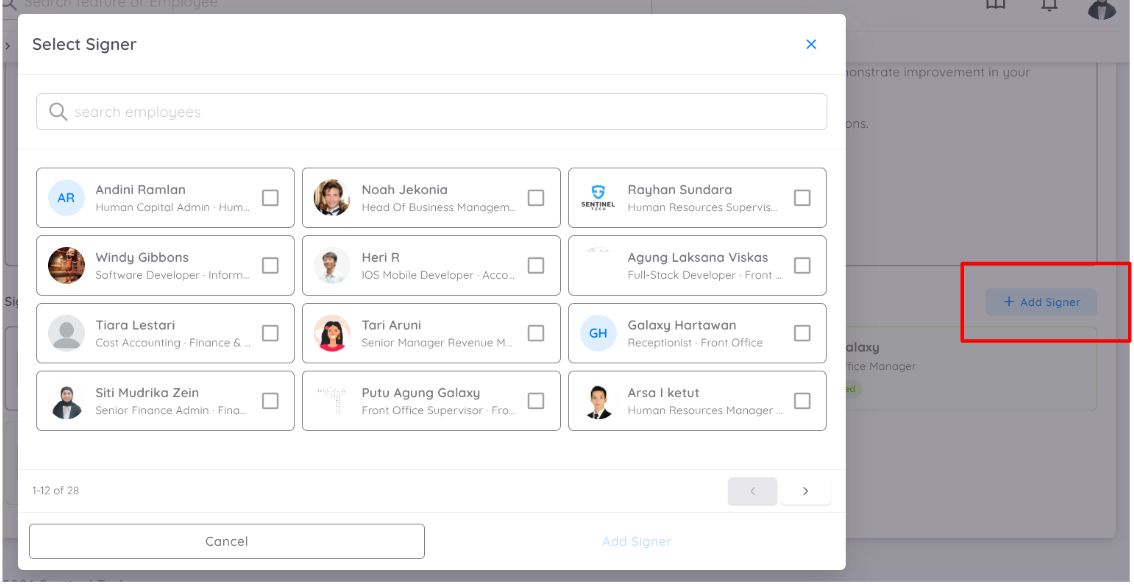
This ensures that the reprimand is formally acknowledged and authorized by all relevant parties.
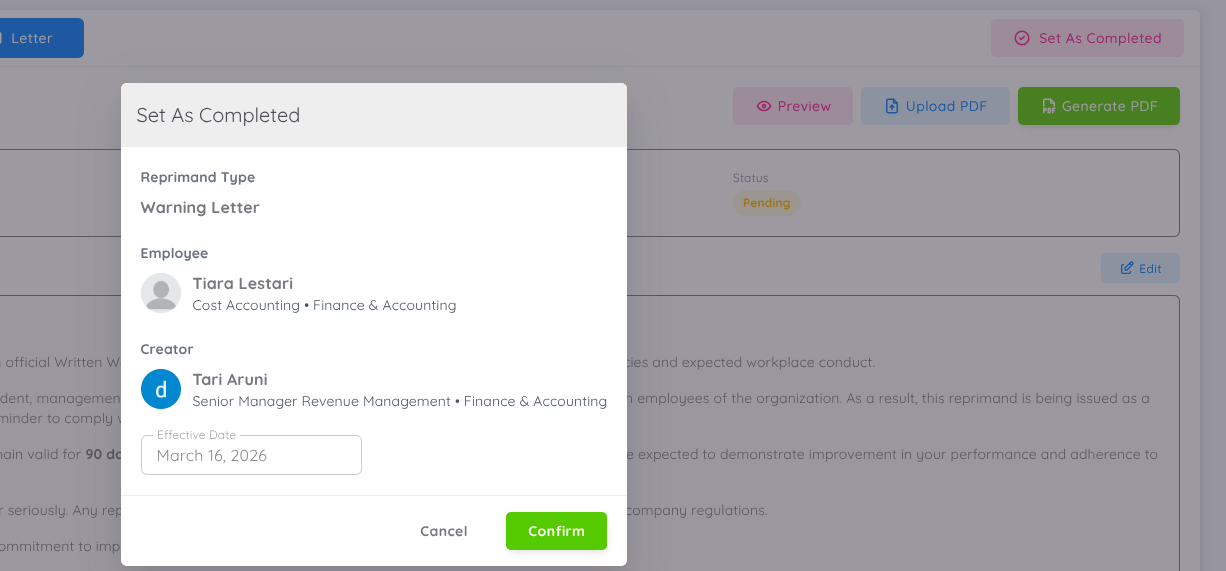
Finalizing the Reprimand Letter
Once all information has been verified and all signatories have completed the signing process, Management may proceed with the following actions:

- Review the letter
- Generate the PDF document directly from the system
- Update the reprimand status to Completed
NOTE
As long as the letter status has not been set to Completed, Management may still upload a letter from an external source in PDF format to the system.
Upon completion, Management must define the Effective Date, indicating when the reprimand becomes officially valid. The validity period and expiration date will be applied based on the configuration defined in the reprimand template.
Downloading Reprimand Letter
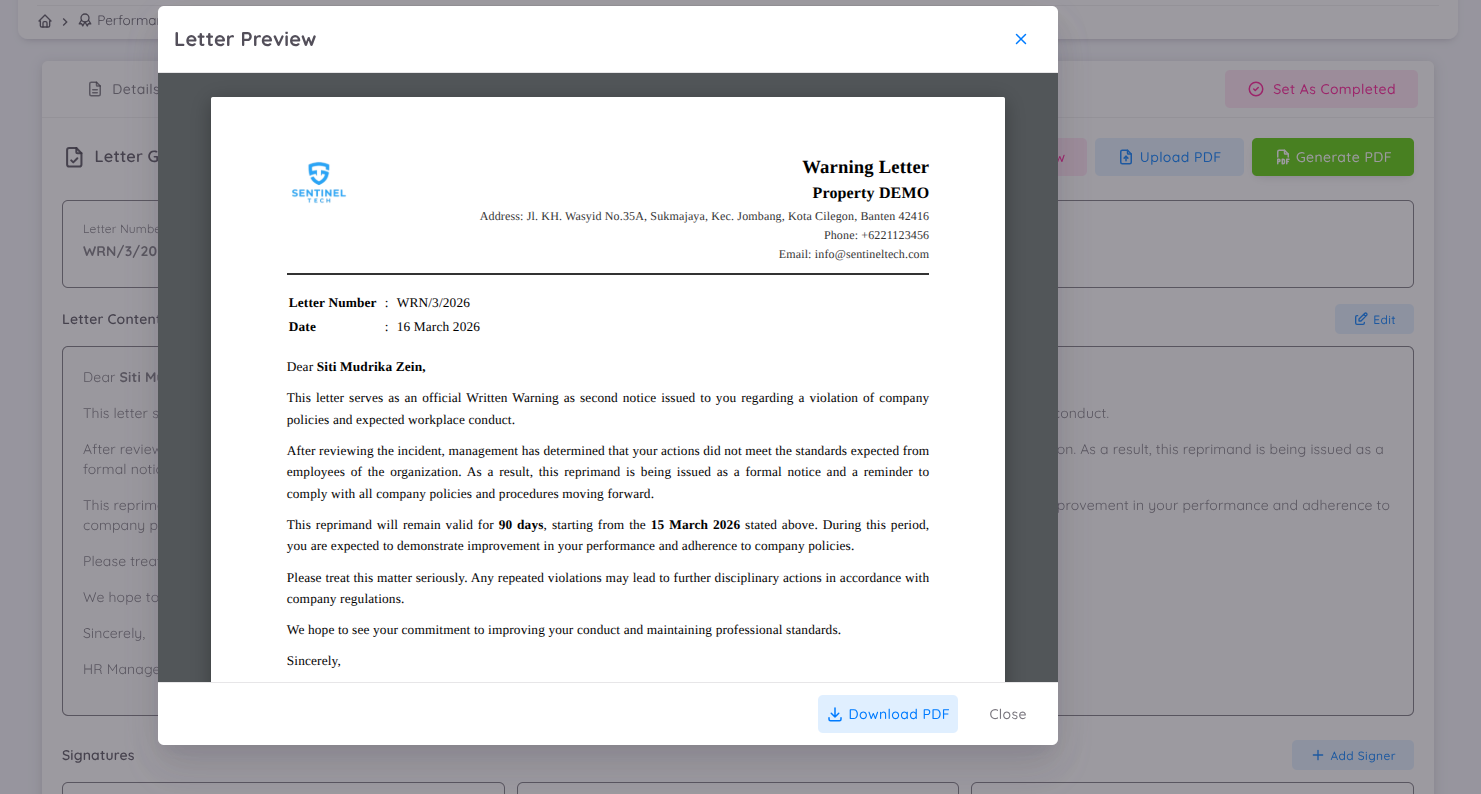
To download the reprimand letter in PDF format:
- Click the Preview button
- The Download option will be available within the preview window
The download functionality remains accessible even if the letter is still in the signing process or prior to the reprimand being marked as Completed.