Document
Checklist
View
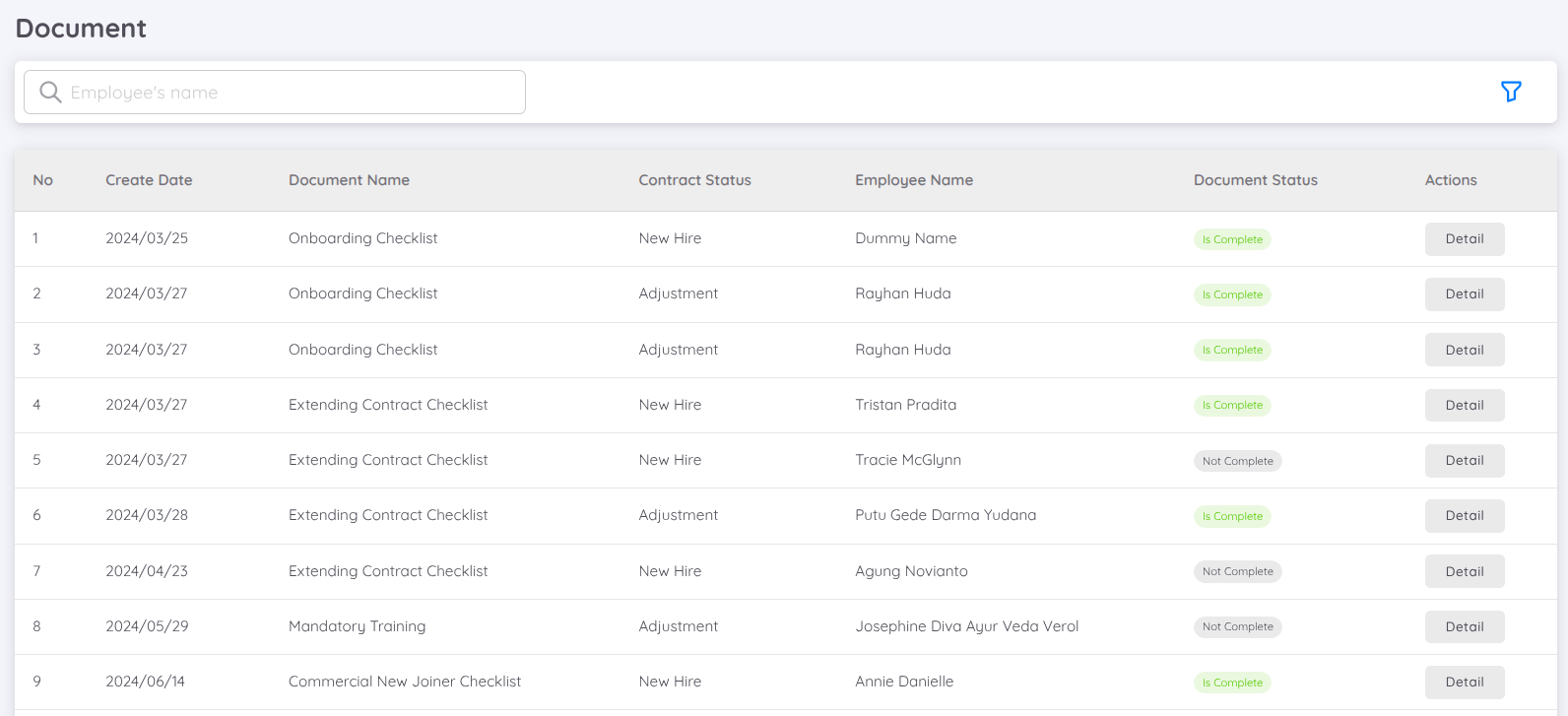
Displays a list of checklist documents created in the history of the employee's contract, by default showing unfinished checklist documents. You can filter the checklist document list from the menu at the top right.
Editing
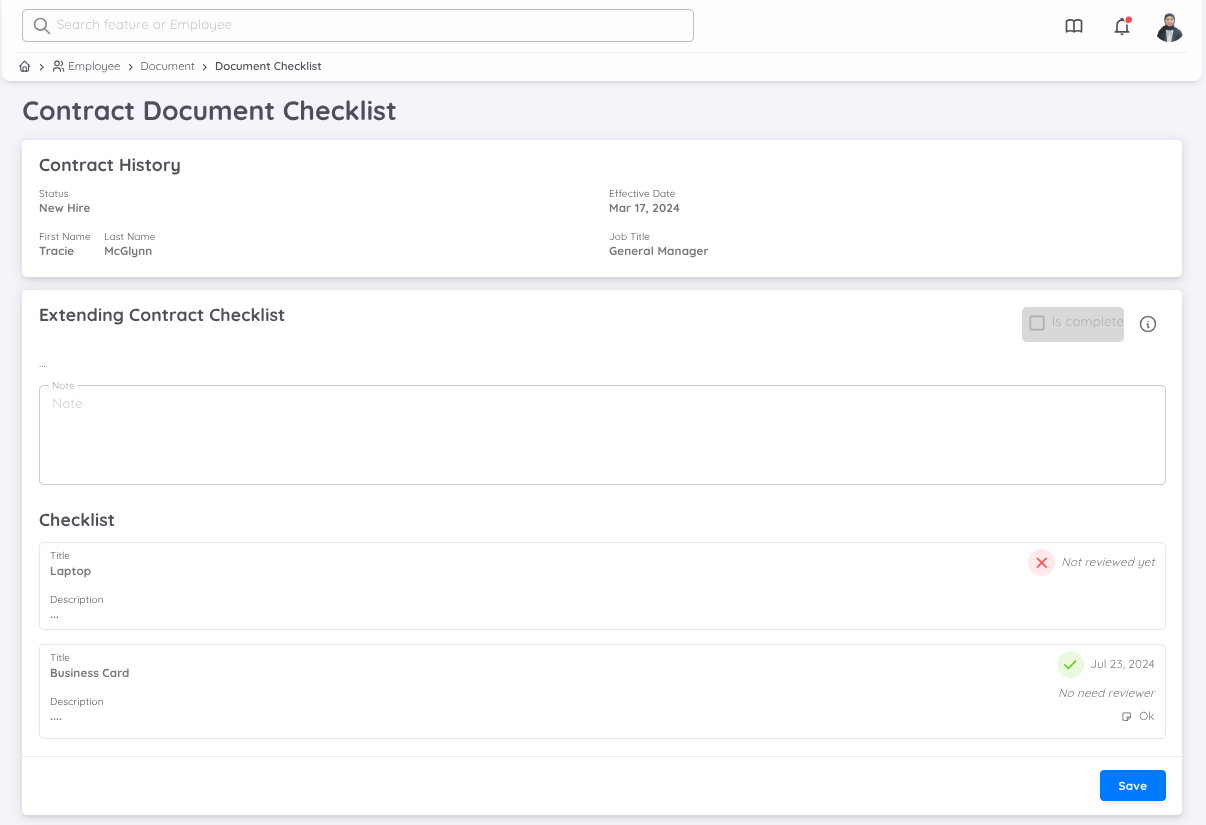
From the management page, only checklist documents that do not have a reviewer can be verified. Checklist documents that already have a reviewer can only be verified by the employee designated during the creation of the checklist document template. Each checklist document can include notes and can upload documents in PDF format.
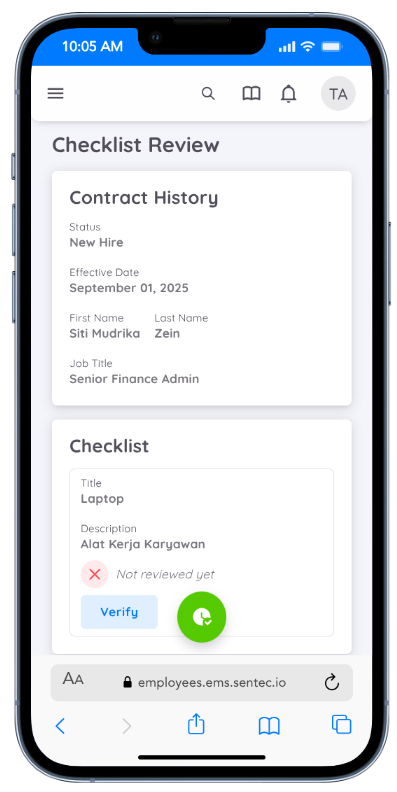
Employees can verify the document checklist verification through the Employee page.
NOTE
Editing of checklist documents can only be performed by users with Document permissions in write mode. A checklist document can only be marked as "Complete" if all checklists have been verified.
Folder
View Document Listing
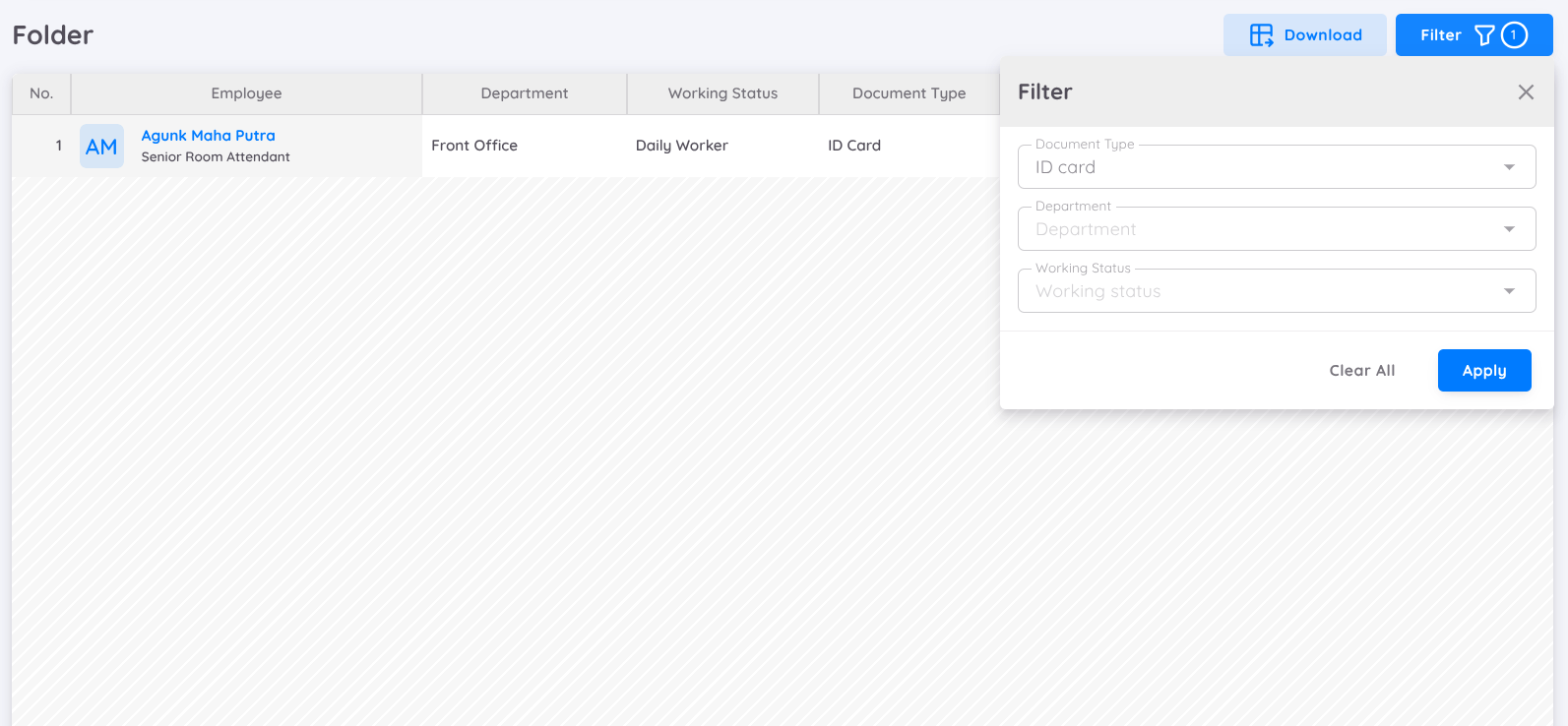
This page displays a list of employee documents that have been uploaded to the Employee Folder.
Users can filter the list by selecting the document type they want to display.
To view document details, click the View action button, and the system will redirect the user to the employee detail page.
Download
If a document is available, users can download it.

NOTE
Uploading employee documents can only be performed by users who have Document permission with write access.