Finance
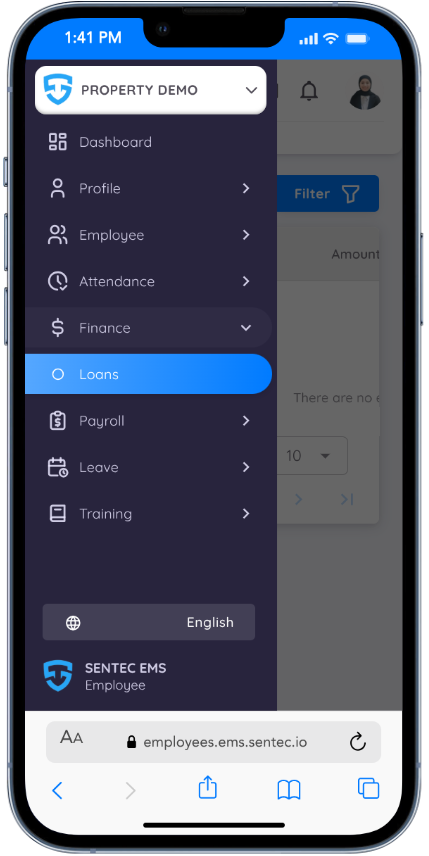
In Sentec EMS, the Finance menu allows employees to monitor and manage their financial information related to the property.
This feature helps employees keep track of financial obligations and payment progress in a transparent and structured way.
Currently, the Finance menu is available for managing employee loans, provided the employee is eligible based on company or property policy.
Loan
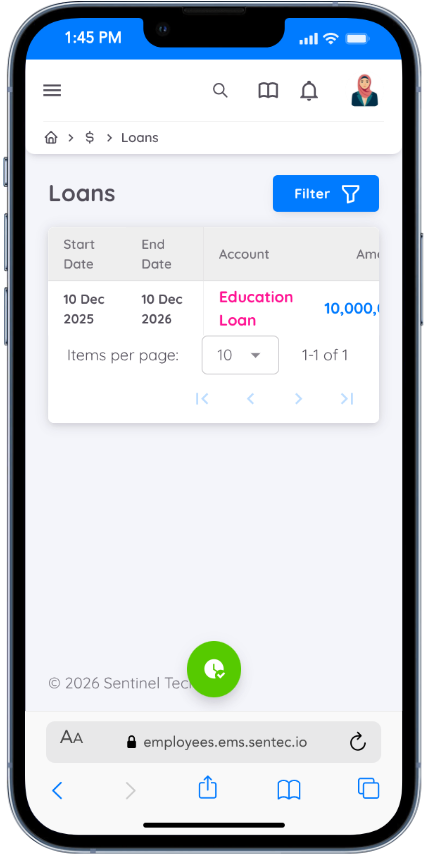
The Loan menu displays a complete list of your loan records. This includes both active and completed loans associated with your employment.
For each loan, the following information is shown:
- Loan Start Date – The date when the loan becomes effective
- Loan End Date – The expected date when the loan will be fully paid
- Account – The account associated with the loan
- Loan Amount – The total amount borrowed
- Outstanding Balance – The remaining unpaid balance
- Loan Status – Current loan status (Active, Completed, or Other applicable status)
- Payment Type – The method or scheme used for loan repayment
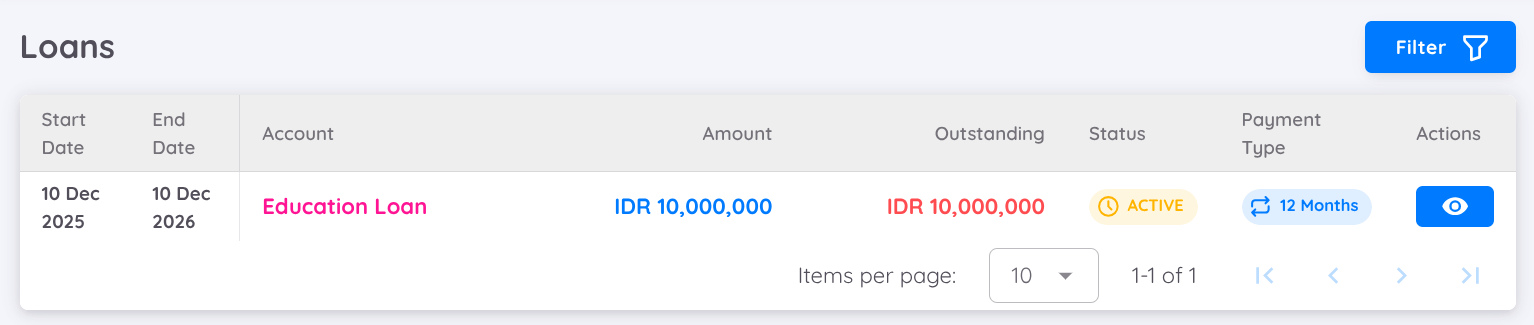
To view more detailed information about a specific loan, click the eye icon in the Action column.
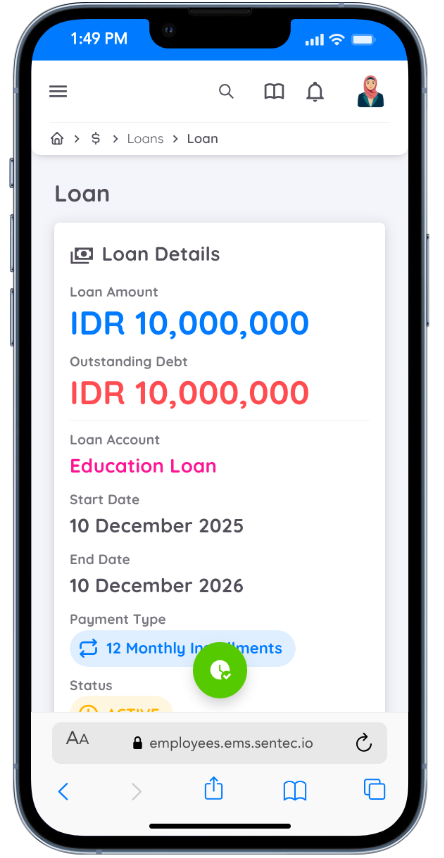
In the Loan Details view, you will be able to review comprehensive loan information, including:
- Payment Summary – An overview of total payments made and remaining balance
- Payment Schedule – A detailed breakdown of installment dates and amounts
- Loan Duration – The full repayment period of the loan
- Payment Progress – The current progress of loan repayment
This feature allows employees to easily track their loan status, monitor payment progress, and plan their finances more effectively.