Finance Reports
The Finance Reports feature in Sentec EMS provides Management with better visibility into employee-related financial changes and compensation information.
The feature allows Management to monitor salary adjustments, review compensation changes for newly hired employees, and maintain a clear record of financial changes within the organization.
Currently, the available Finance Report is the Salary Adjustment Report.
Salary Adjustment
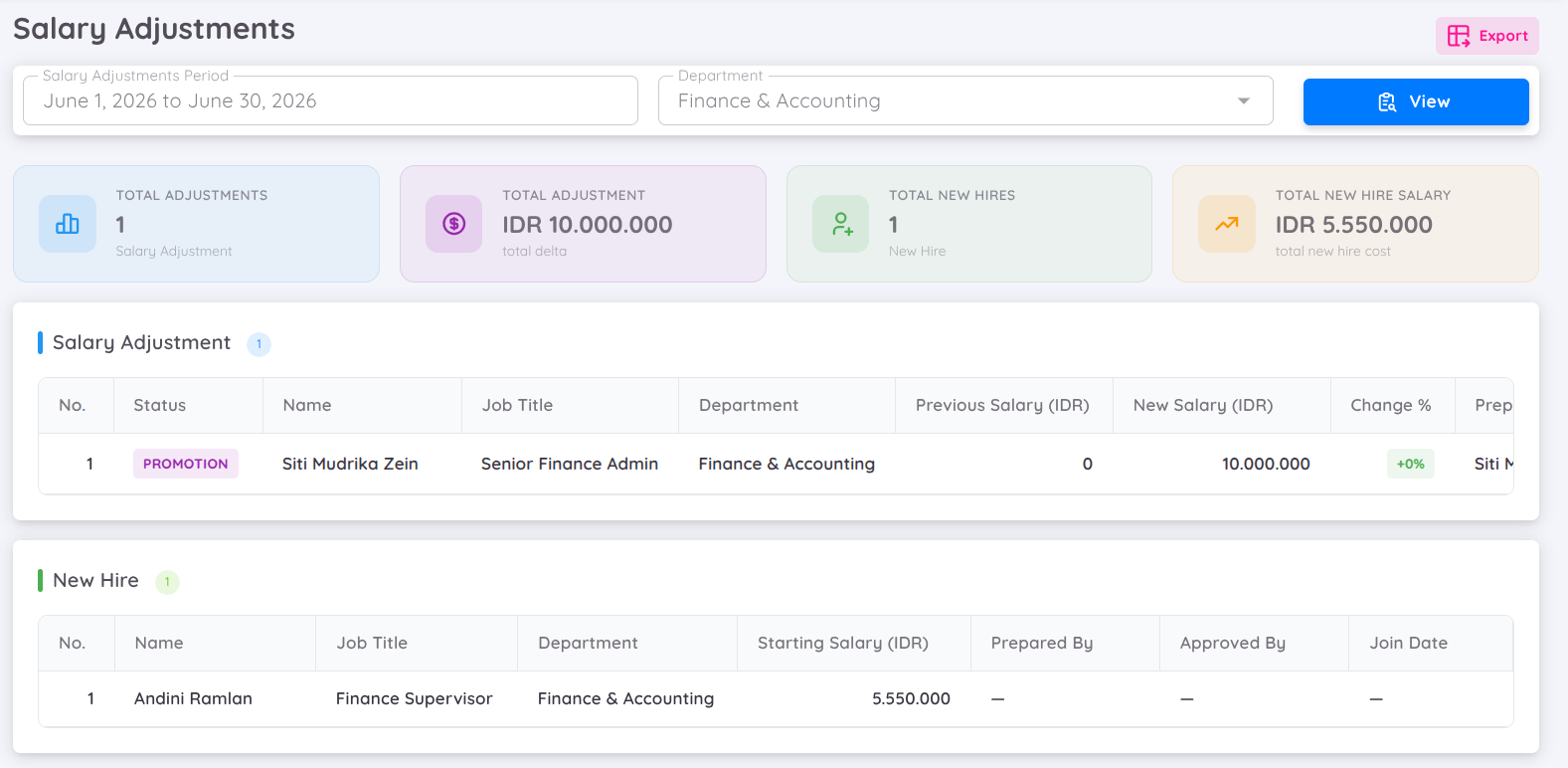
The Salary Adjustment Report provides a comprehensive overview of employee salary changes and new hire compensation within a selected period and department.
This report can be used by Management to:
- Monitor employee salary adjustments.
- Review the financial impact of salary changes.
- Track compensation for newly hired employees.
- Review salary adjustment approvals and effective dates.
- Compare previous and updated salary information.
- Support financial reporting and documentation.
- Maintain a historical record of employee compensation changes.
Report Summary
The report provides summary information to give Management an overview of salary-related changes within the selected period.
Salary Adjustment Summary
The Salary Adjustment Summary displays:
- Total Salary Adjustments – The total number of employees whose salaries were adjusted within the selected period.
- Total Adjustment Amount – The total financial amount resulting from the salary adjustments.
This summary provides a quick overview of the overall salary adjustment activity and its financial impact.
New Hire Summary
The New Hire Summary provides an overview of compensation for employees who joined during the selected period.
It includes:
- Total New Hires – The total number of employees newly hired within the selected period.
- Total Starting Salary Cost – The total starting salary amount for the newly hired employees.
This information helps Management understand the additional salary cost associated with new hires.
Salary Adjustment Details
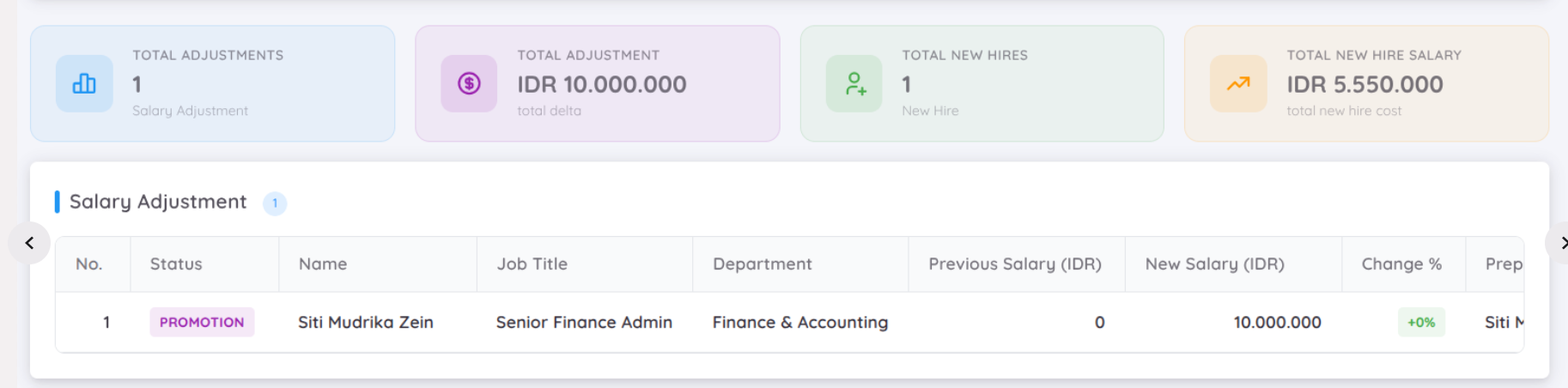
The Salary Adjustment Details section provides detailed information about individual employee salary changes.
The report includes:
- Employee Name – The employee whose salary was adjusted.
- Employment Status – The employee's current employment status.
- Job Title – The employee's position or job title.
- Department – The department to which the employee belongs.
- Previous Salary – The employee's salary before the adjustment.
- New Salary – The employee's salary after the adjustment.
- Salary Change Percentage – The percentage difference between the previous and new salary.
- Approval – Information regarding the approval of the salary adjustment.
- Effective Date – The date when the new salary becomes effective.
This section allows Management to review each salary adjustment individually and verify the details of the change.
New Hire Compensation Details

The New Hire Compensation Details section provides compensation information for employees who were newly hired during the selected period.
The report includes:
- Employee Name – The newly hired employee.
- Job Title – The employee's assigned position or job title.
- Department – The department assigned to the employee.
- Starting Salary – The employee's initial salary.
- Prepared By – The person who prepared the compensation information.
- Approved By – The person who approved the compensation information.
- Join Date – The employee's employment start date.
This section provides Management with a clear overview of the initial compensation commitments associated with new employees.
Filtering
Management can filter the Salary Adjustment Report based on specific criteria to narrow down the information displayed.
Available filters include:
- Period – Select the salary adjustment or new hire period to be reviewed.
- Department – Select a specific department to review salary adjustments and new hire compensation for that department.
Filtering allows Management to focus on specific periods or departments without reviewing the entire report.
Export Report
The Salary Adjustment Report can be exported for further analysis, reporting, and financial documentation.
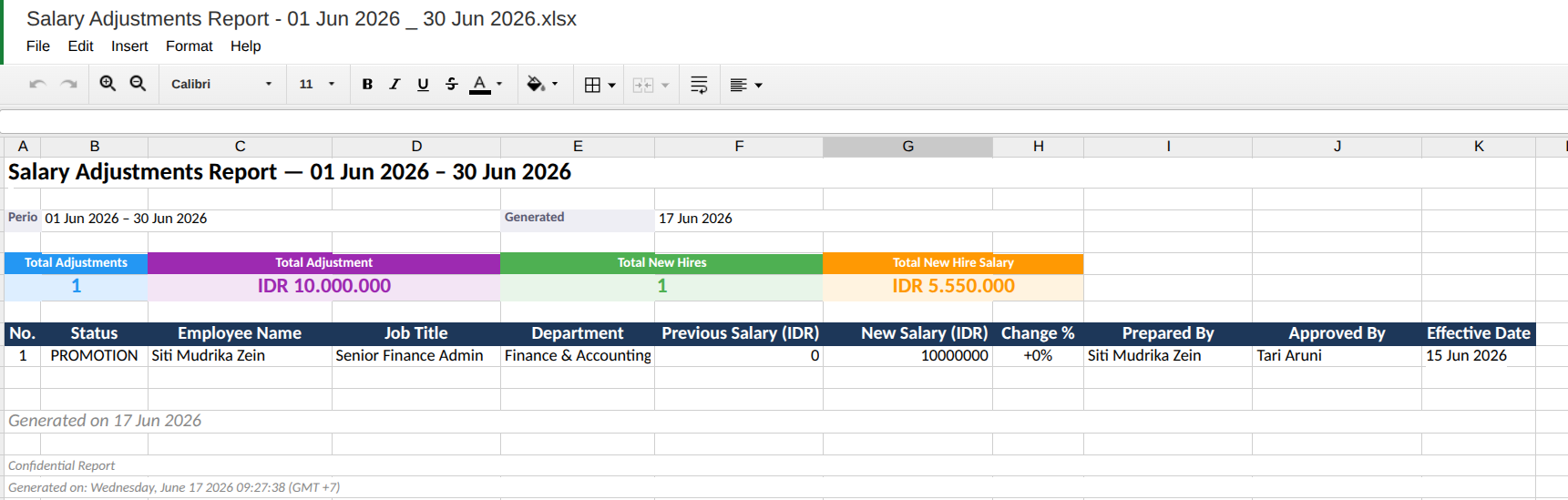
The report can be exported in:
- Excel
- Spreadsheet
The exported report provides a more structured and comprehensive presentation of the salary-related information.
The exported report includes:
- Salary adjustment summary.
- New hire summary.
- Employee salary adjustment details.
- New hire compensation details.
- Previous and new salary information.
- Salary change percentage.
- Approval information.
- Effective dates.
- New hire join dates.
The exported report can be used to:
- Conduct further financial analysis.
- Prepare internal financial reports.
- Review and validate salary changes.
- Share salary adjustment information with relevant stakeholders.
- Maintain financial documentation and records.
- Support compensation review and decision-making processes.
Report Usage
The Salary Adjustment Report can serve as a reference for Management when reviewing employee compensation changes and their financial impact.
By combining salary adjustment information and new hire compensation data in a single report, Management can more easily monitor changes in salary costs, review approval information, and maintain accurate compensation records.
NOTE
The Salary Adjustment Report reflects salary adjustment and new hire compensation information based on the selected reporting period and department. Use the available filters to obtain the required reporting scope before reviewing or exporting the report.