Shortlist
Talent Pool
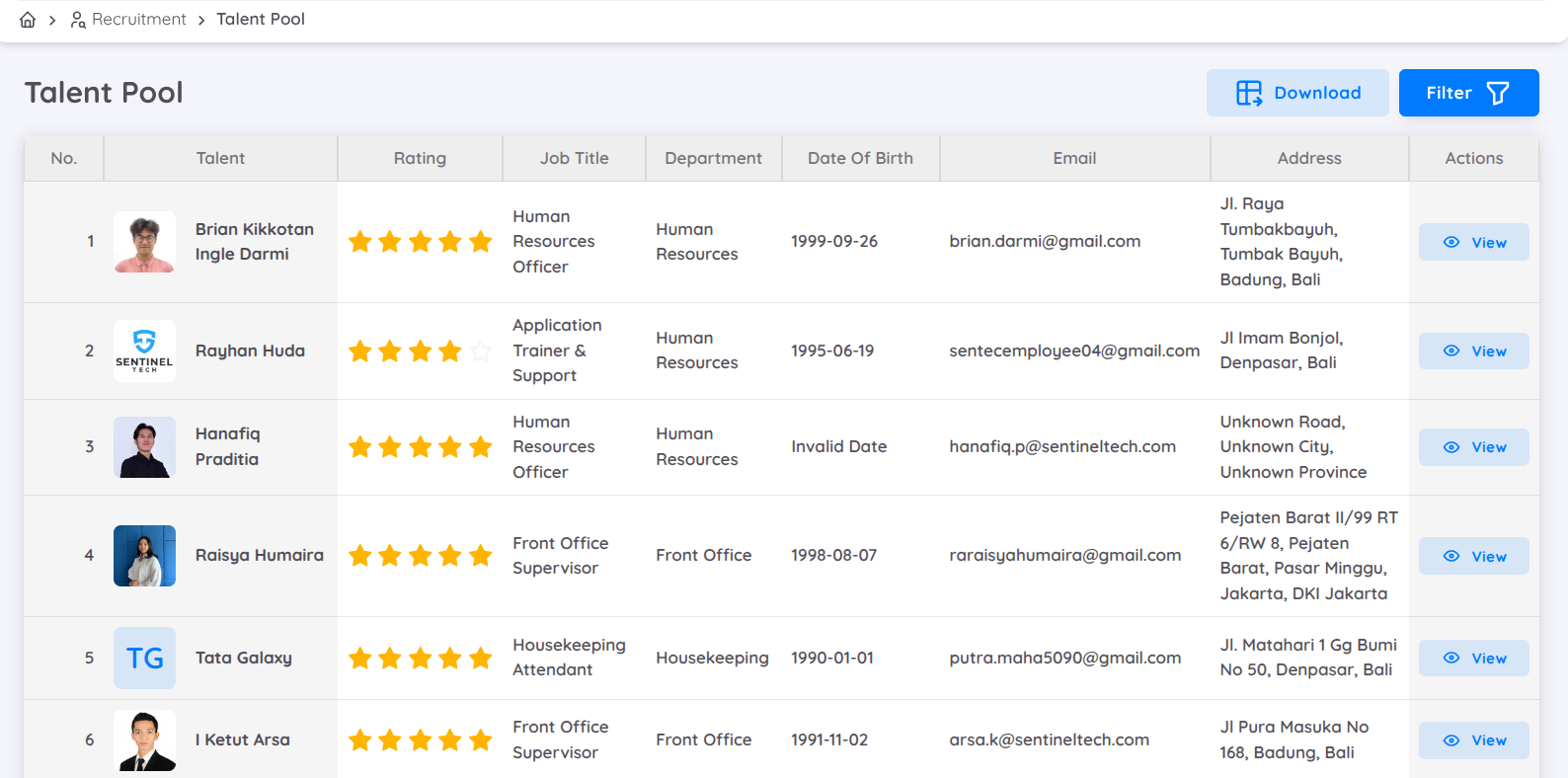
The talent pool is a database for storing candidates or employees with potential, even if they are not hired or are former employees. Candidates with good ratings can be added to the talent pool. Additionally, talent pool data can also be sourced from the employee list. The recruitment team can view, search, and filter employee data in this list. Filtering can be done based on the employee's name, rating, job title, personal email address, citizenshop, city and province of residence.
The information displayed includes :
- Candidate's photo
- Name
- Rating
- Job title
- Department
- Date of birth
- Email address
- Home address
This list includes an Actions column with a View option to display detailed information about employees in the Talent Details tab. The details include :
- Talent status (rating and notes) = Basic information
- Work experince
- Education
- Skills
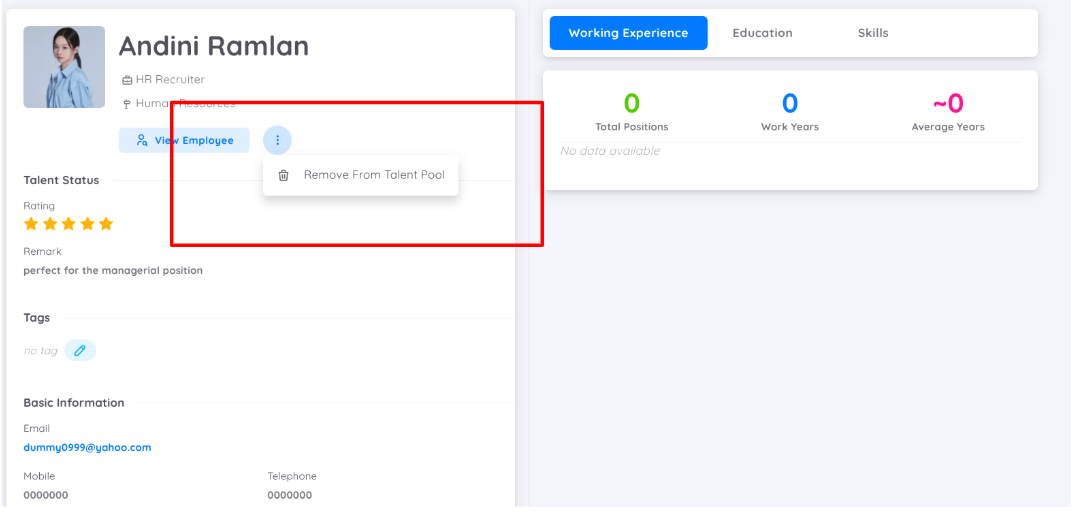
From this view, the recruitment team can also:
- View the employee profile.
- Remove candidates from the Talent Pool when they are no longer needed.
- Add Tags to candidates for easier categorization and management.
NOTE
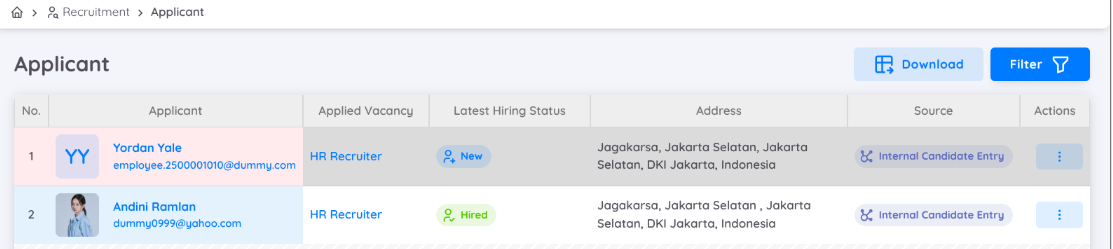
Candidates added to the Talent Pool will be marked with a special indicator in the New Candidate table and on the Kanban Board, highlighted in blue.
Hired Candidate
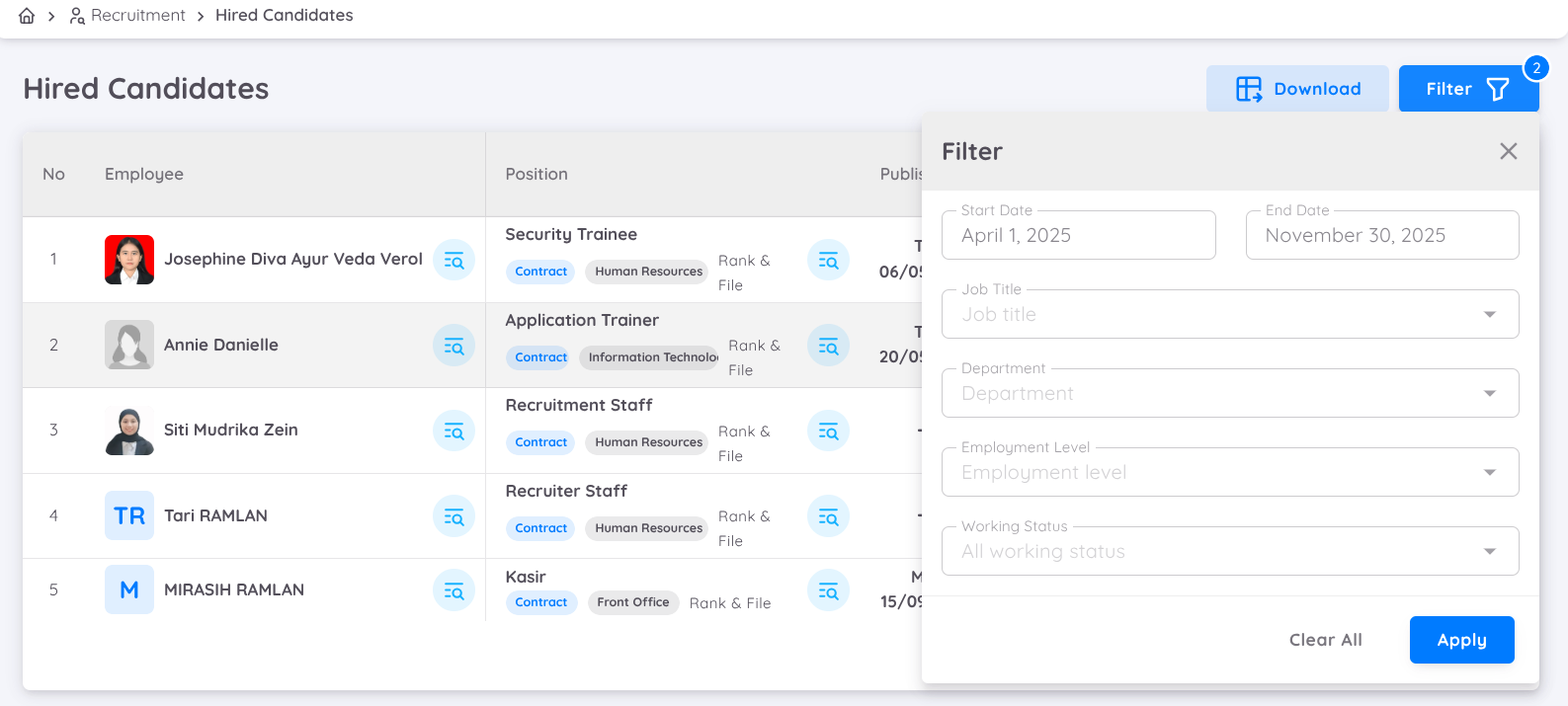
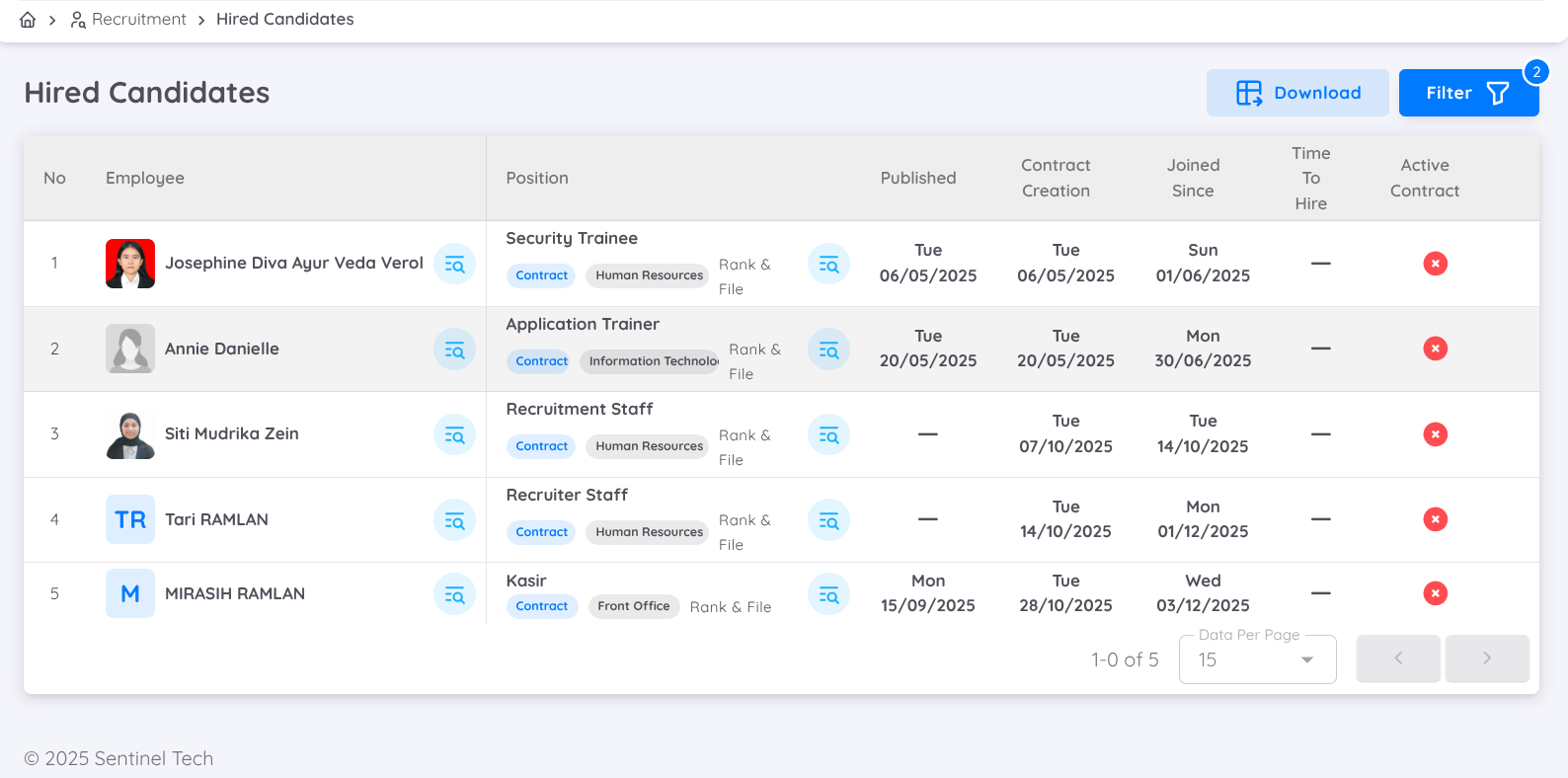
By applying the available filters, all candidates who have been successfully hired through the recruitment process in Sentec EMS will be displayed in this submenu.
You can view an employee’s profile by clicking the View Employee button next to the employee’s name.
On this page, you can view the following information:
- The position being processed
- Contract duration
- Join date
- Contract status
If the contract is active, a green indicator will be displayed.
If the contract is not yet active or is no longer active, the contract status will be shown with an “X” indicator.
Blacklist
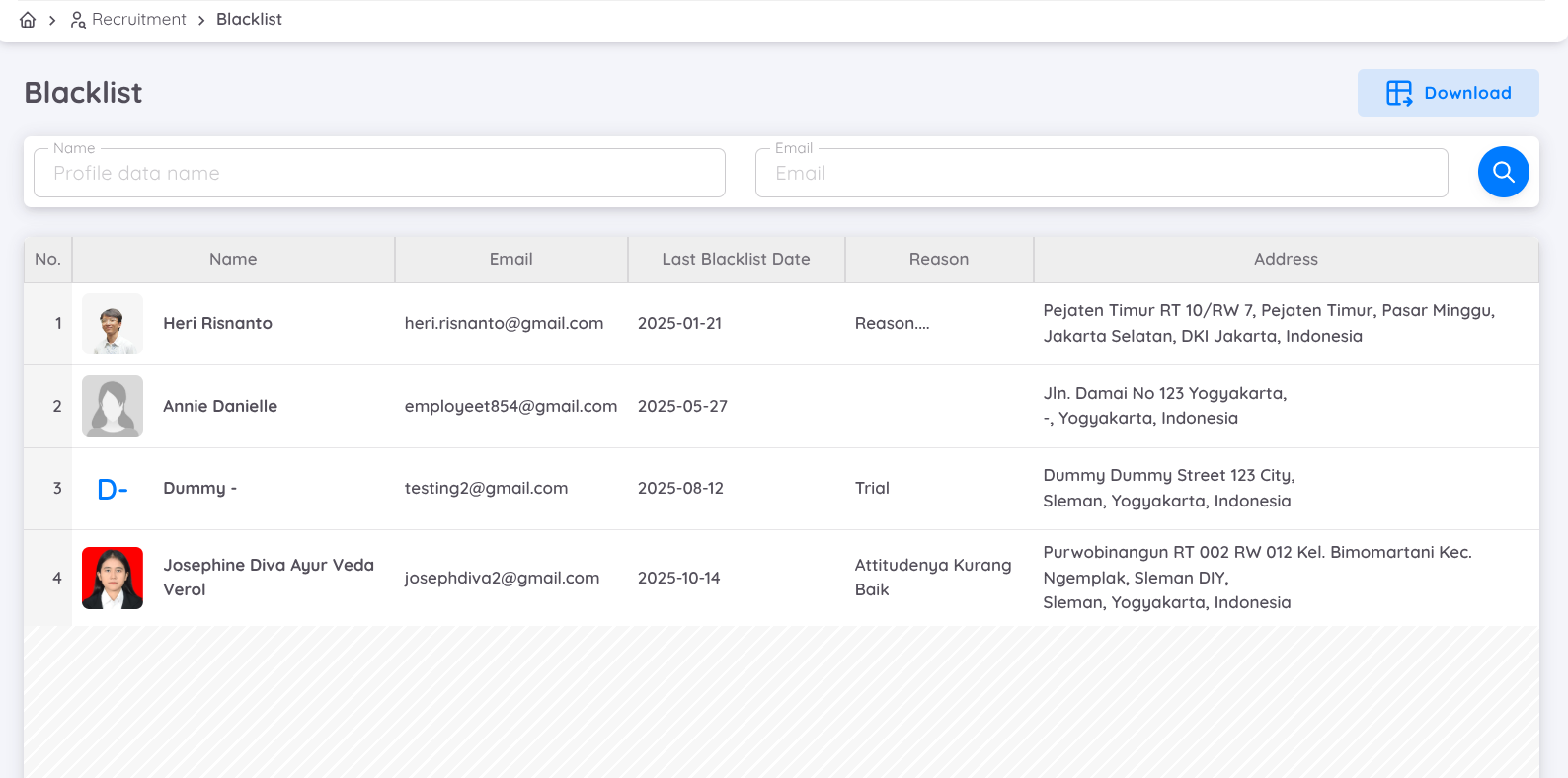
Employees with poor records and candidates who fail the recruitment process can be added to the Blacklist.
The Blacklist menu allows the recruitment team to view and search for blacklisted candidates and employees by name or personal email address.
The displayed information includes:
- Profile Photo
- Name
- Email Address
- Date Added: The date when the candidate or employee was added to the blacklist.
- Reason: The reason for being added to the blacklist.
- Status
- Address
- Action: Provides options to edit the blacklist reason or remove the candidate or employee from the blacklist.
NOTE
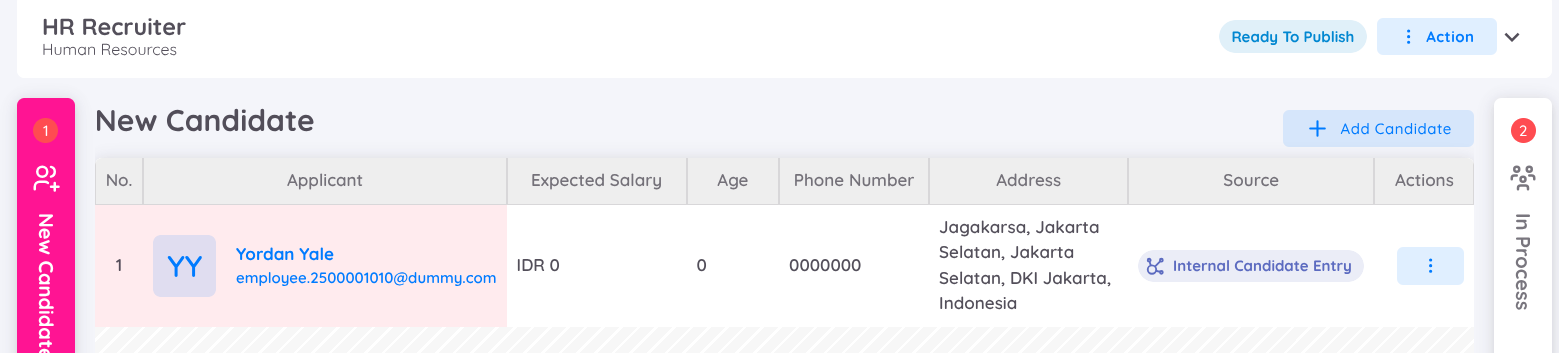
Candidates who are added to the blacklist will be marked with a special indicator in the New Candidate table and on the Kanban Board, highlighted in red.
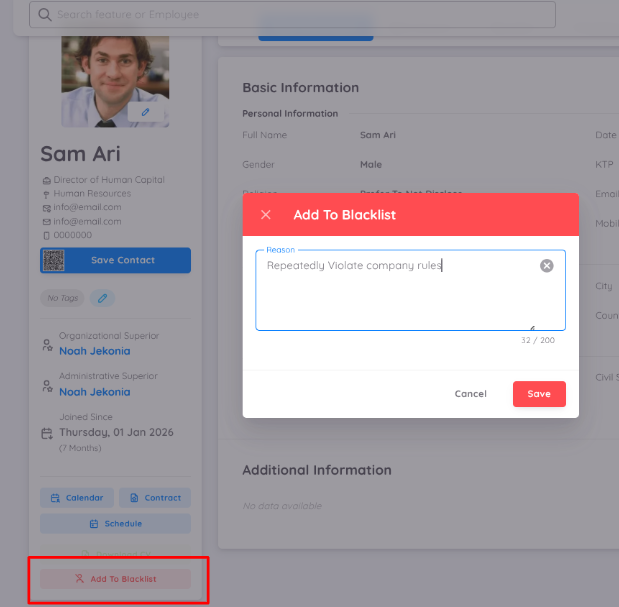
Adding Current or Former Employees to the Blacklist
A current employee or former employee can also be added to the blacklist directly through the employee profile. Once added, the employee's information and blacklist record will be saved and displayed in the Blacklist menu along with other blacklisted candidates.
The blacklist record will also be available under Employee → List → Blacklist, where the record can be viewed and managed.
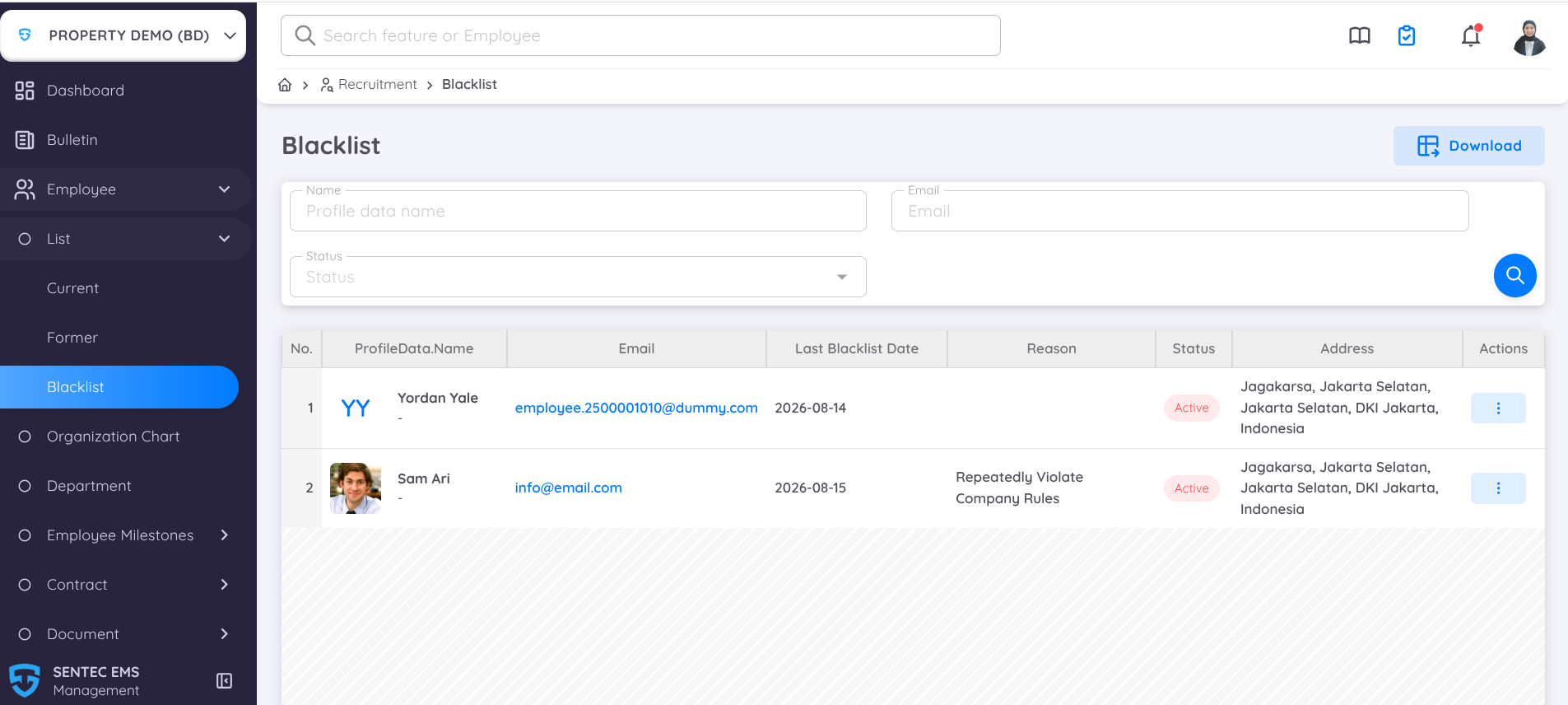
This is the same blacklist record available in the Recruitment → Shortlist → Blacklist menu. For easier access, the blacklist is also available under the Employee menu.