Request
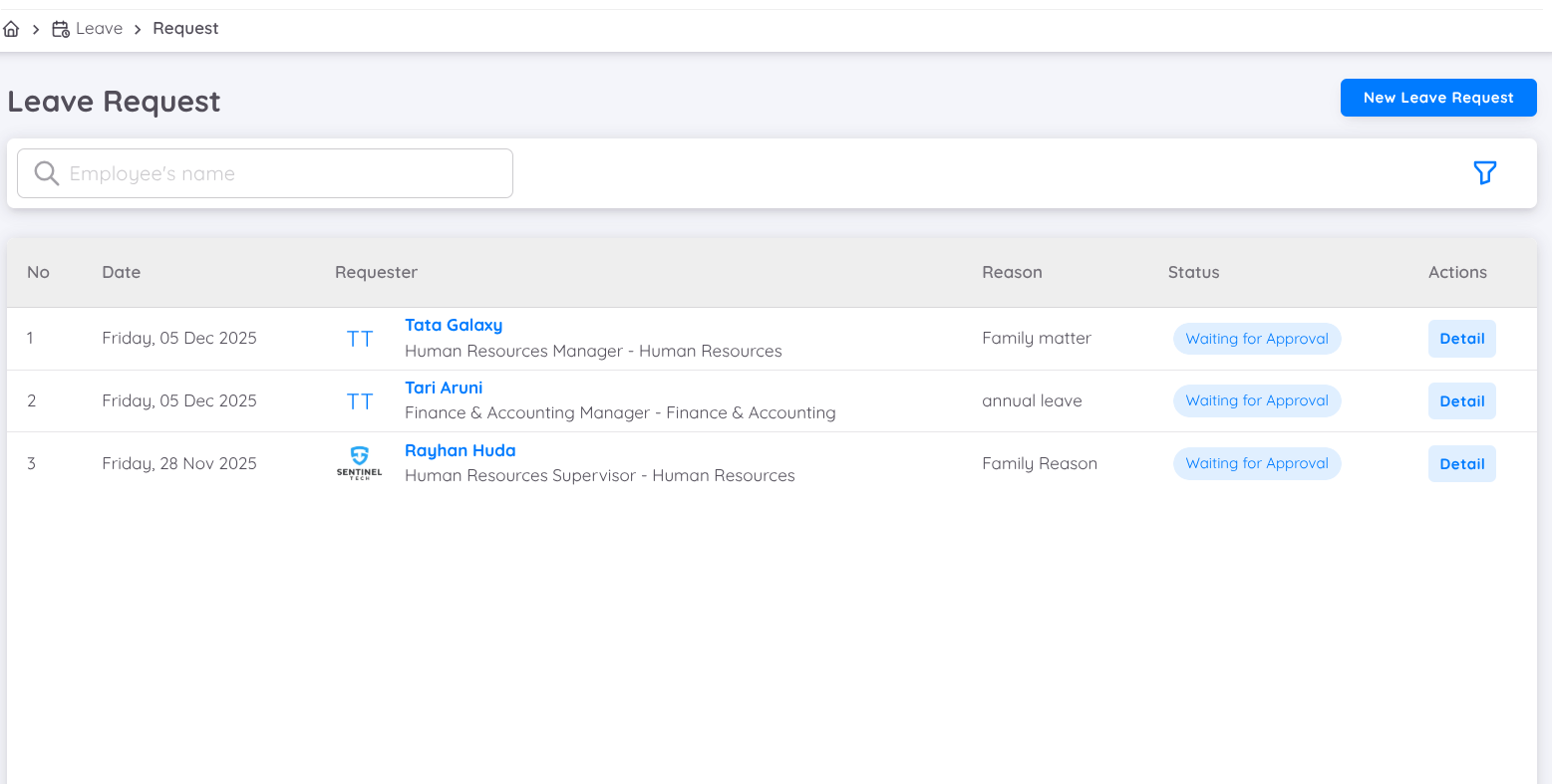
This page will display all leave requests submitted by employees. Users can now apply enhanced filters to refine the review process, including :
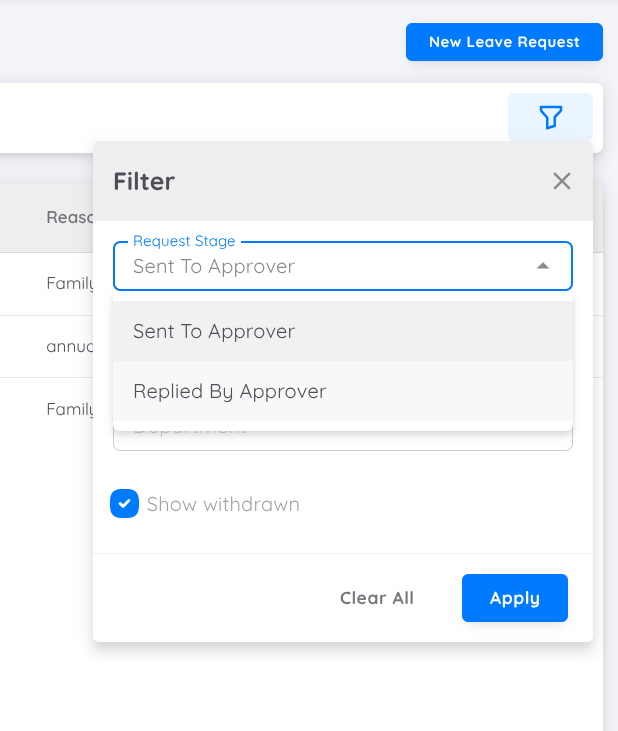
- Approval Status : Filter requests by "Waiting for Approval" or "Replied by Approver".
- Approval Period : View Leave requests within a specific date range.
- Department : Filter leave requests based on the employee's departement.
- Withdrawn Requests : Option to include or exclude withdrawn request in the results.
Leave Request
Users can create leave requests from the management page for certain reasons, such as assisting employees who are unable to submit leave requests from the employee page. The employee's leave profile and applicable leave types are still applied in the leave request form on the management page.
To search for an employee to create a leave request, enter the employee's name.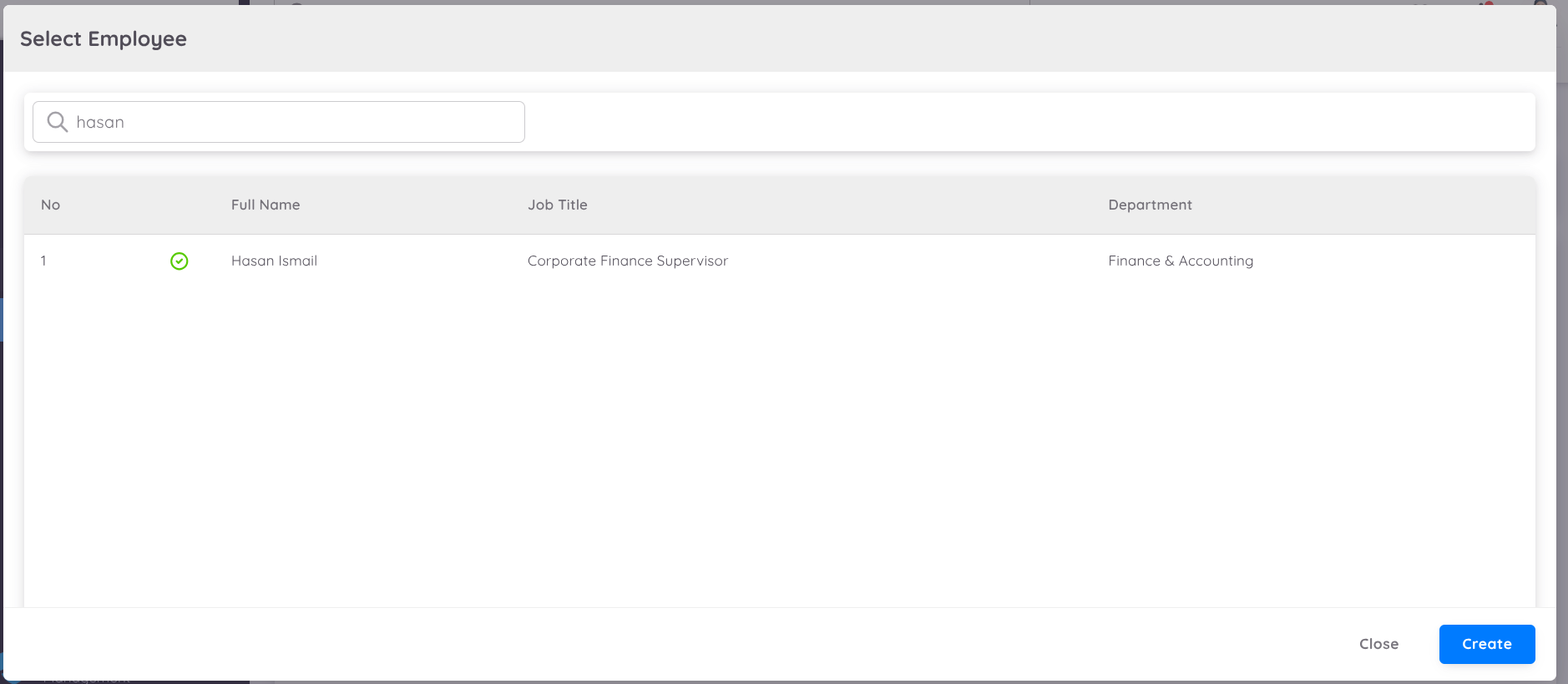
Leave Request Form
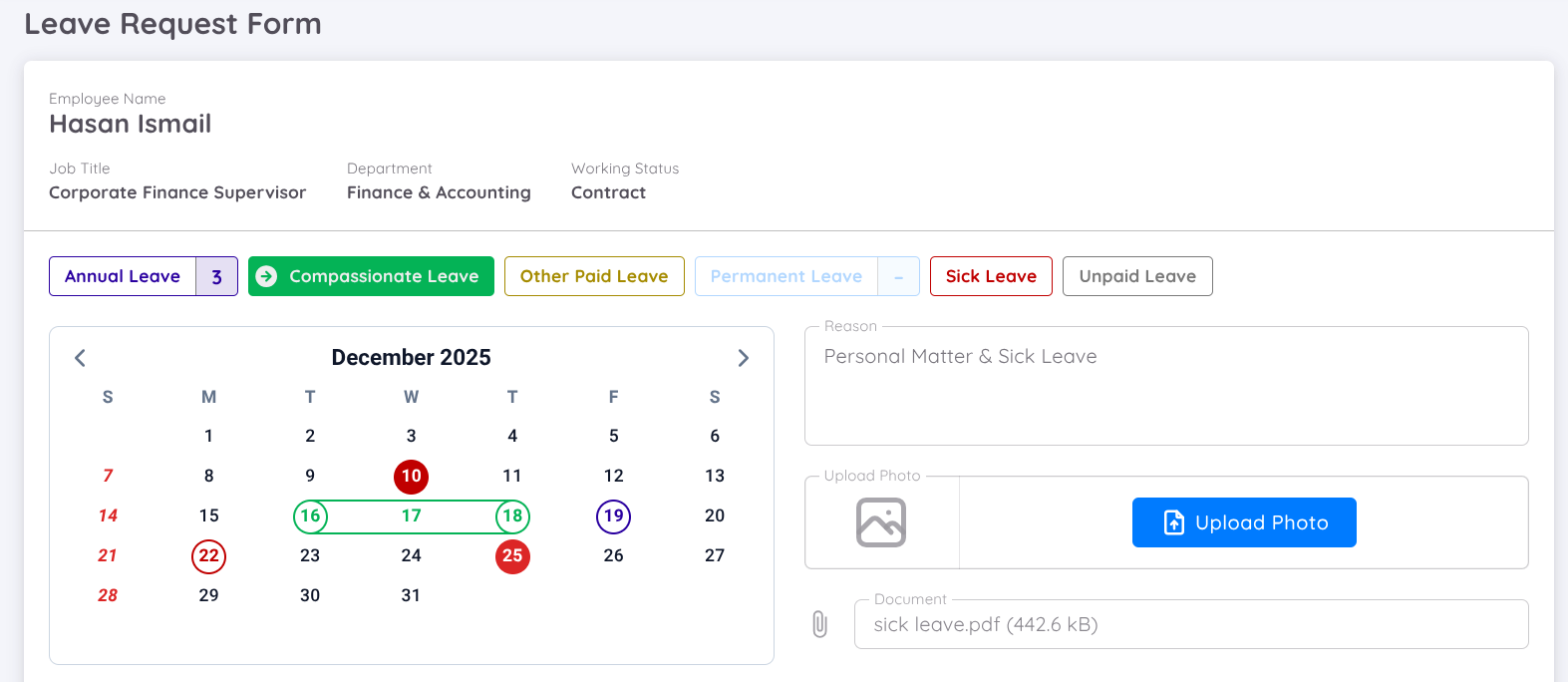
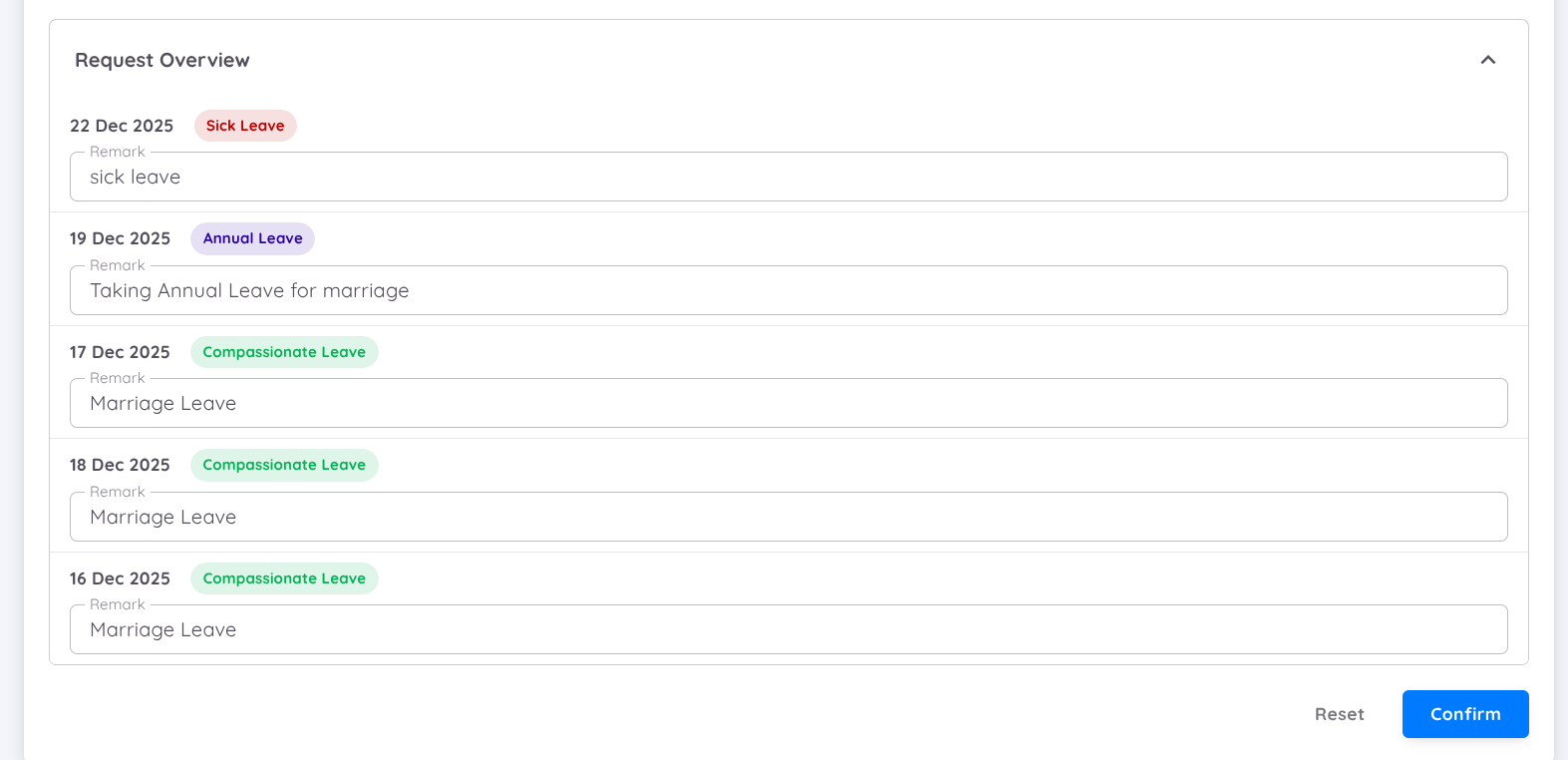
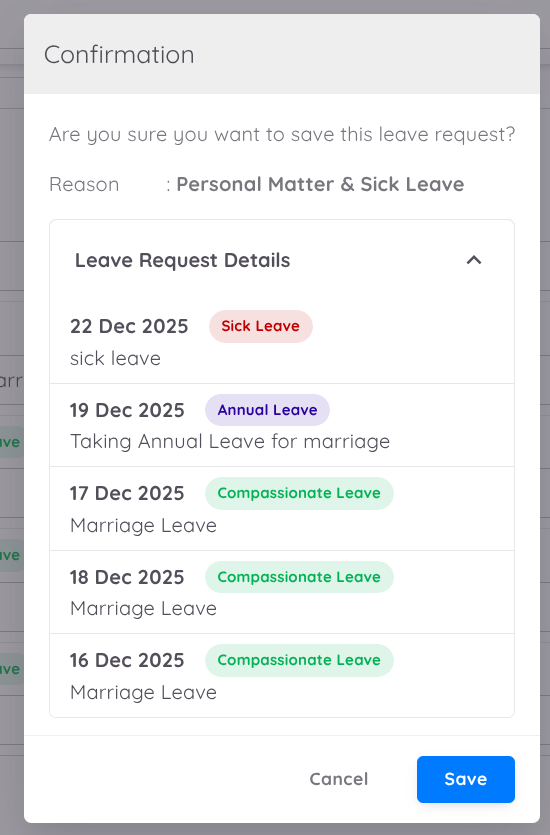
Before selecting the leave dates, choose the desired leave type. The reason for the leave request is mandatory, while uploading photos and documents (PDF) is optional. Users can add additional remarks for each leave date through the "Request Overview" button.
Note
Leave requests submitted through the management page will be automatically approved without the need for the employee's administrative superior's approval. Users from the management page can create leave requests for employees even if the leave dates have already passed.
Leave Approval
Users can approve leave requests from the management page in cases where the leave requests submitted by employees are not processed by their administrative superiors. Click the action button in the top right corner, and a pop-up will appear for approval.
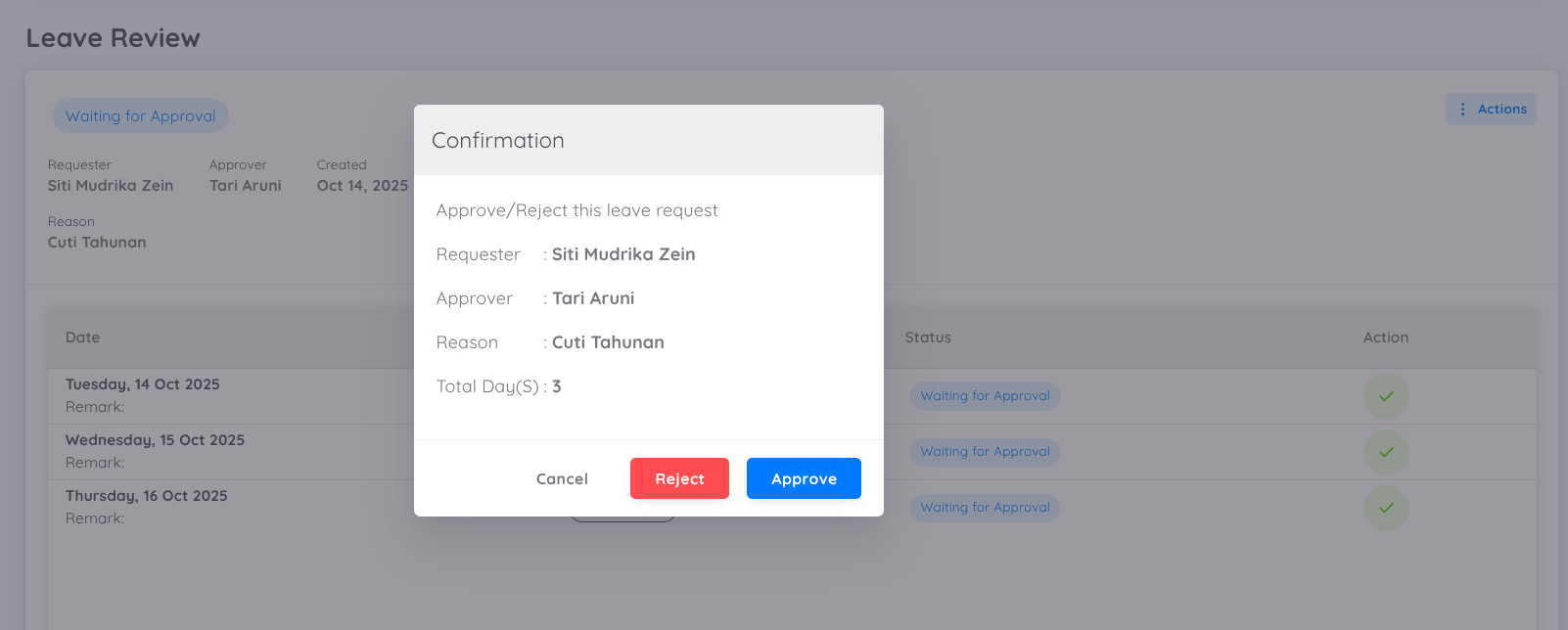
This approval process applies to the entire range of dates included in the leave request.
Users can also approve leave requests partially, based on specific dates requested by the employee.
For further reference, you can access the detailed tutorial below:
Cancel Leave
If an employee needs to cancel their leave for any reason, the employee can withdraw the request through the Employee Page.
However, if the leave to be canceled is for the current date (today) or a past date, only management can cancel or withdraw the leave request.
In such cases, management can navigate to Leave → Request to change the leave status.
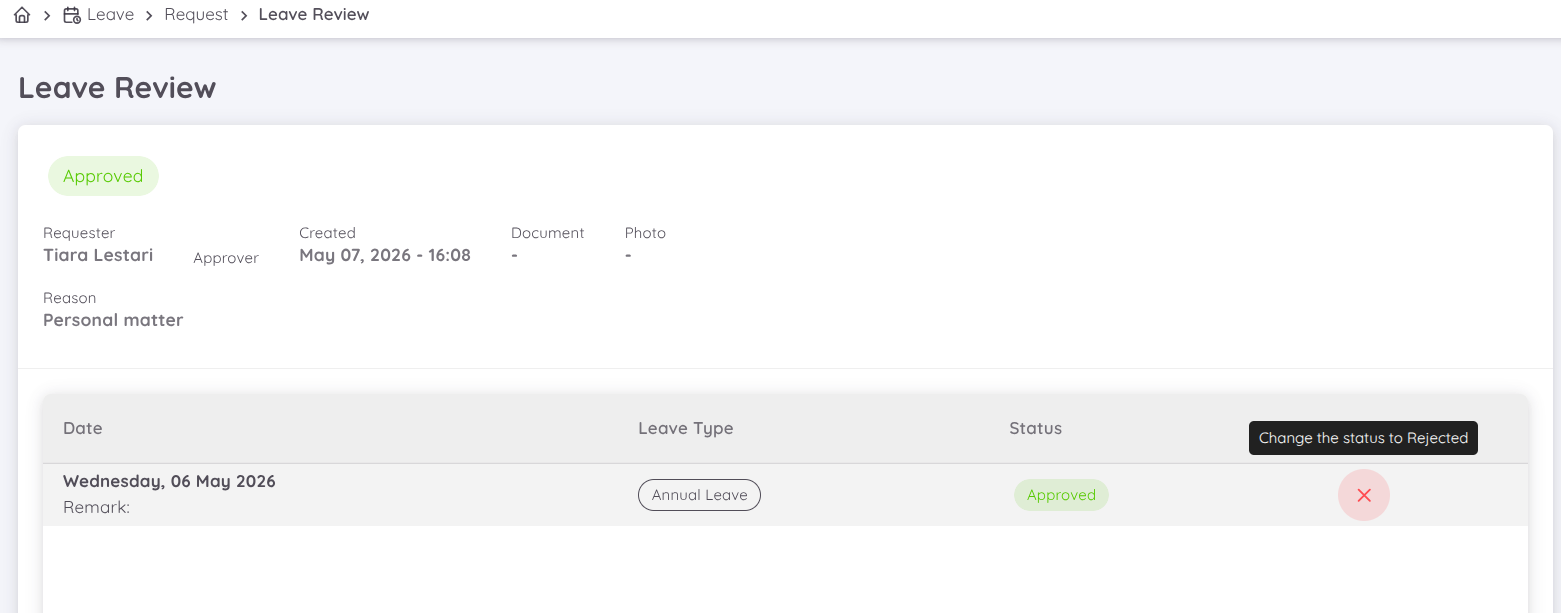
If the leave request has already been approved, apply the filter with the request stage Replied by Approver. From there, management can open the leave details, navigate to the Action column, and change the status to Reject by clicking the button on the specific leave date that needs to be canceled.
Caution
The leave balance for Annual Leave and Extra Leave will not be automatically returned if the leave status is changed from the management page.
When the leave status is changed from Approved to Rejected, or from Rejected to Approved, the leave balance must be adjusted manually through Leave Administration.
Additionally, if Extra Leave is canceled by management, the management must manually recreate or reassign the Extra Leave balance to the employee.