Dashboard
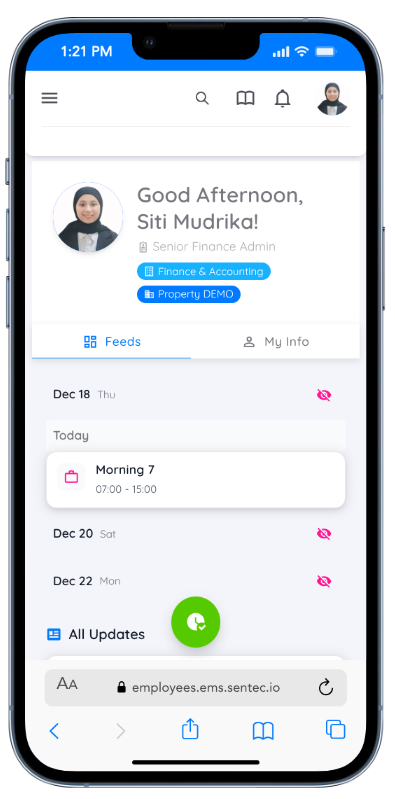
The Dashboard page provides a summary of important information for employees, including attendance data, leave status, activity calendars, and other relevant updates.
On the dashboard page, the information is separated into two tabs: Feeds and My Info, to improve clarity and navigation.
Feeds Tab
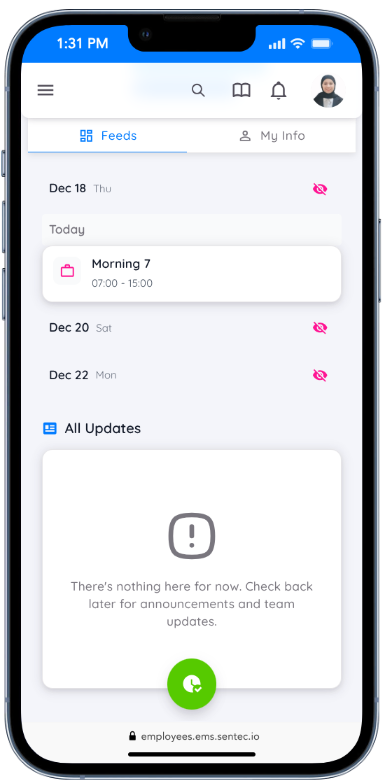
In the Feeds tab, you can view:
- Your attendance records and schedule
- All updates, including bulletins and other information such as announcements, events, or news
My Info Tab
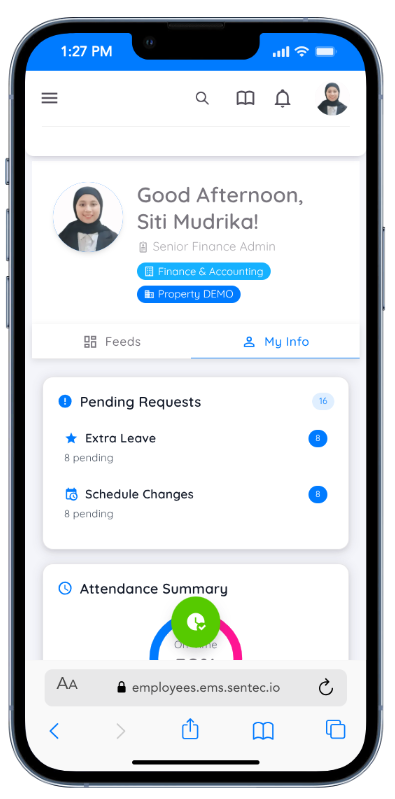
In the My Info tab, you can find a comprehensive overview of your personal and employment-related information, including:
Pending Requests
View all your submitted requests that are still awaiting approval, such as leave requests, schedule changes, or other employee requests. This helps you easily track your current request status.Attendance Summary
Monitor your attendance performance for the current month, including:- On-time percentage
- Present days
- Late days
- Total work hours
You can also access more detailed attendance records for deeper review.
Leave Balance
Check your remaining leave balance, such as annual leave, displayed clearly in days.
A Request Leave button is available for quick and direct submission of new leave requests.Compensation
This section displays information related to your compensation, such as overtime converted into other allowances and the available balance.
You can select View Details to see a more detailed breakdown of your compensation components.Training Progress
This section shows your training activity and progress, including:- Total training time completed (in hours)
- Number of training sessions completed
You can click Browse Training to view available or assigned training programs and continue your learning journey.
Loan Status
This section provides an overview of your loan information.
If you have no active loans, it will be clearly indicated.
You can click View Loan Details to see more information about your loan status, if applicable.
The My Info tab provides a centralized view of your key personal and employment information, making it easier to monitor requests, attendance, benefits, and professional development in one place.