Training Report
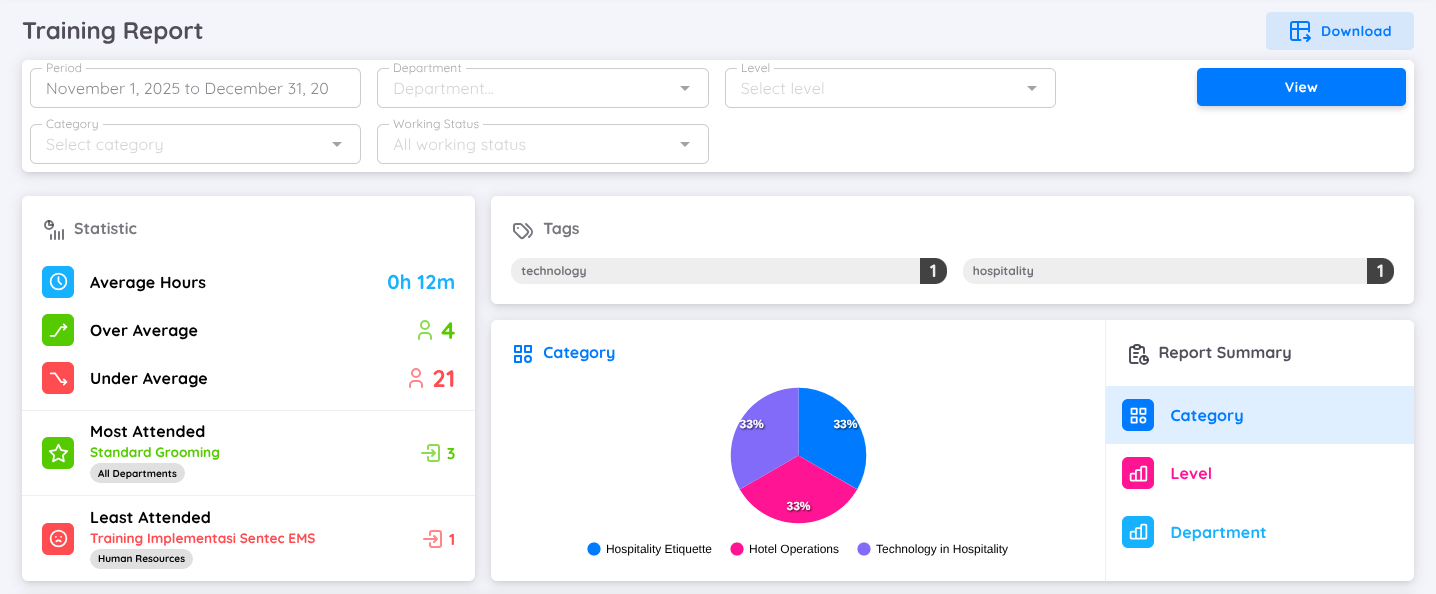
The Training Report provides organizations with detailed information about training programs that have been conducted within the company. This report helps management and HR teams monitor training activities, evaluate participation, and assess overall training effectiveness.
In the Training Report, users can view and filter data based on period, department, training level, category, and working status. The report displays the following information:
Statistics
Displays key metrics such as average training hours, training hours above and below the average, as well as statistics on the highest and lowest training attendance.Tags
Lists the tags associated with each training session to help categorize and identify training topics.Report Summary
Provides a summary by training category, training level, and department. The data is visualized using pie charts for easier analysis.
The report also breaks down the data for each employee, detailing the total number of training sessions attended and the total training hours completed within the selected period.
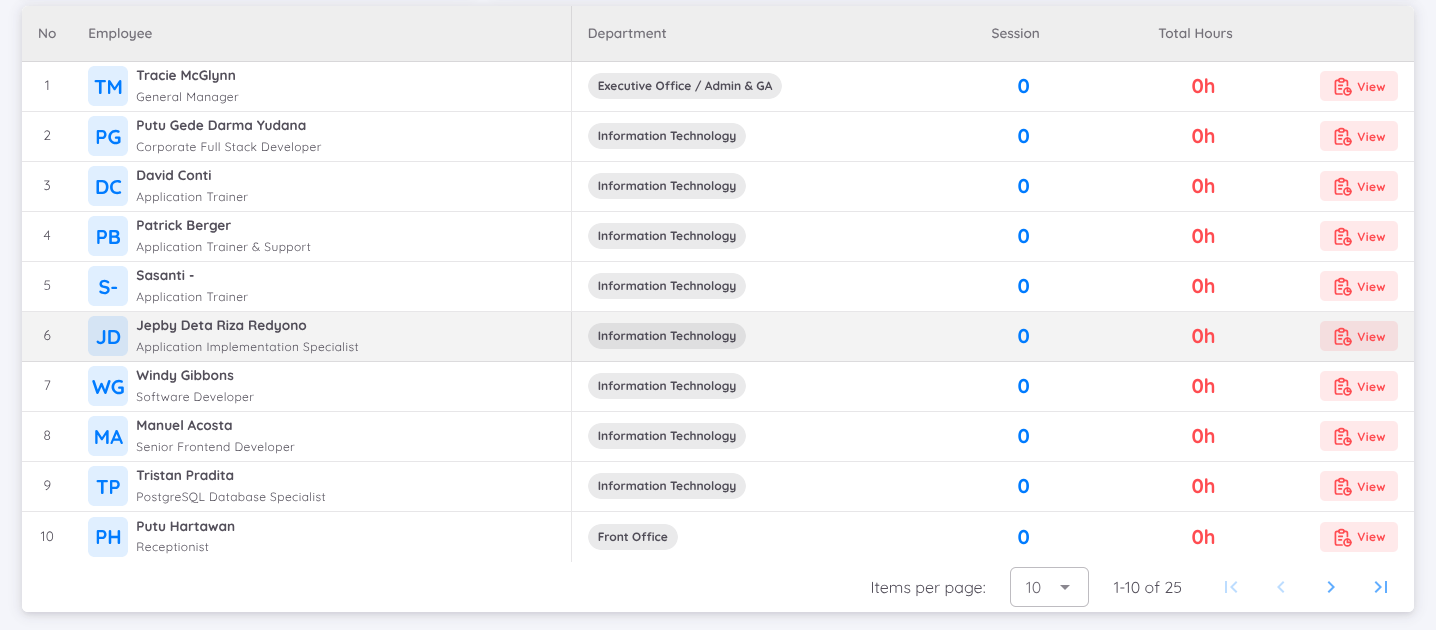
In more detail, the report also includes the Employee Training Report, which presents comprehensive information on each employee’s training history. This includes a breakdown of the training sessions attended and the total training hours completed by each employee.
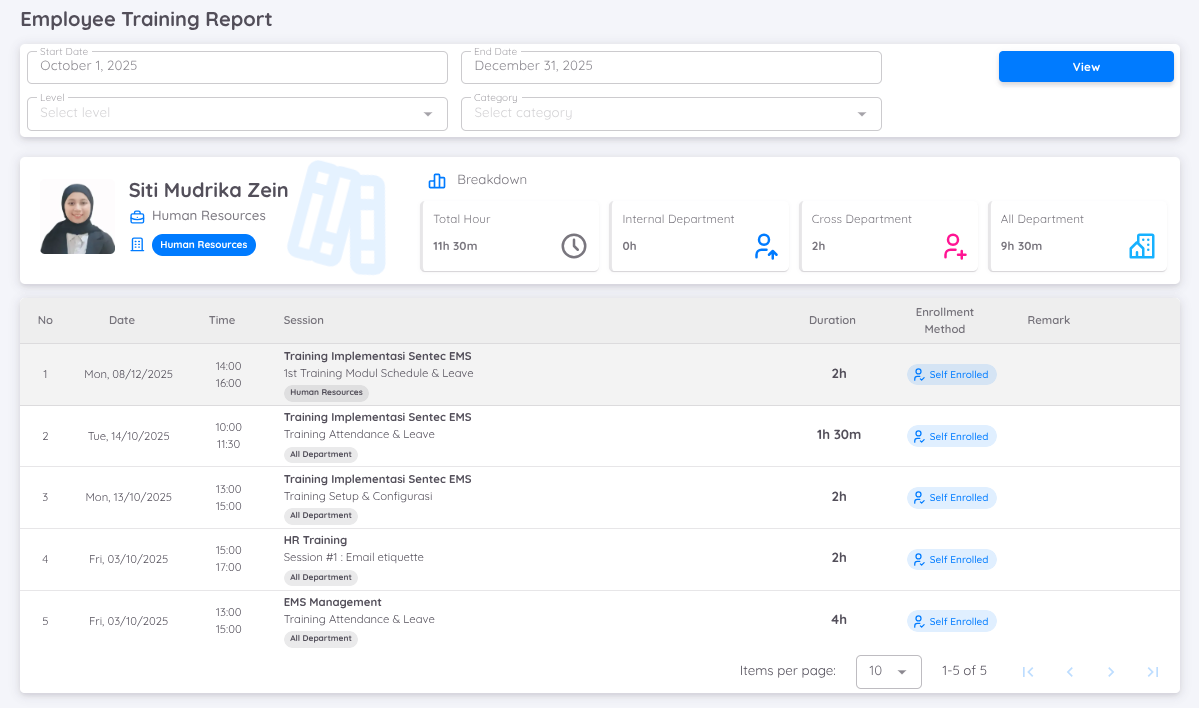
Users can view an individual employee’s training report by clicking the View button in the employee breakdown list.