Analytics
In this analytics report, users can view graphs related to employee leave taken and attendance recorded within a month, either per department or overall.
Leave
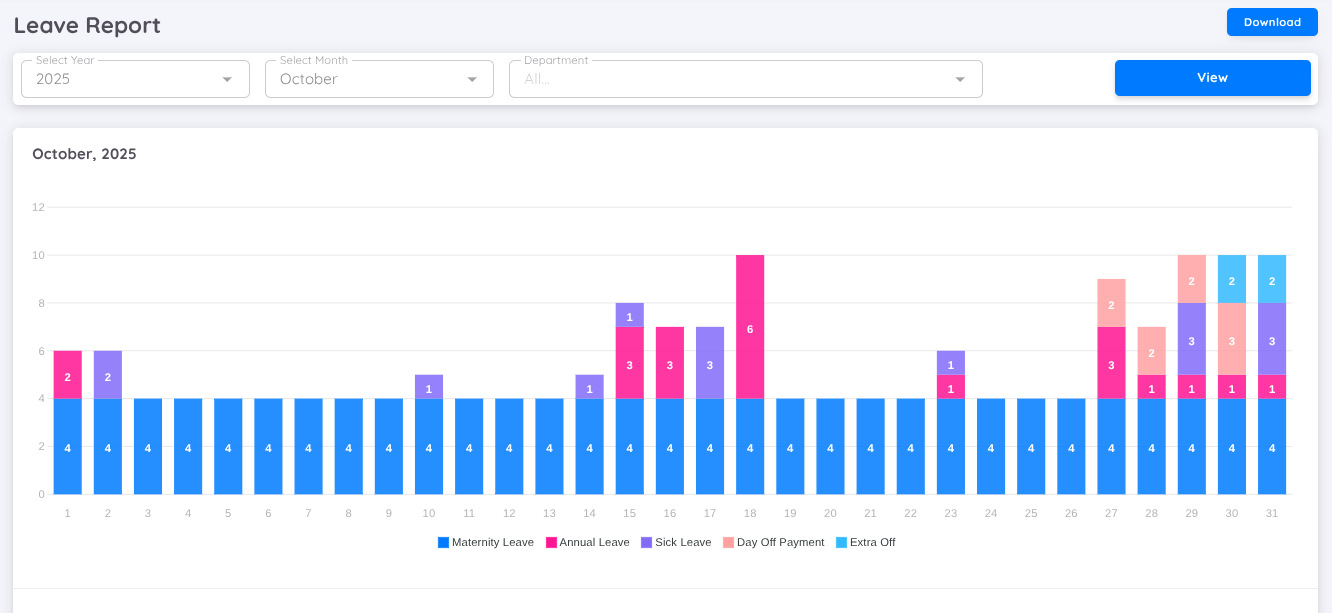
This report allows users to view the types of leave applied for and the number of employees who applied for leave on each date within a selected month. The data is presented using a bar chart, which displays daily leave application trends for easier analysis.
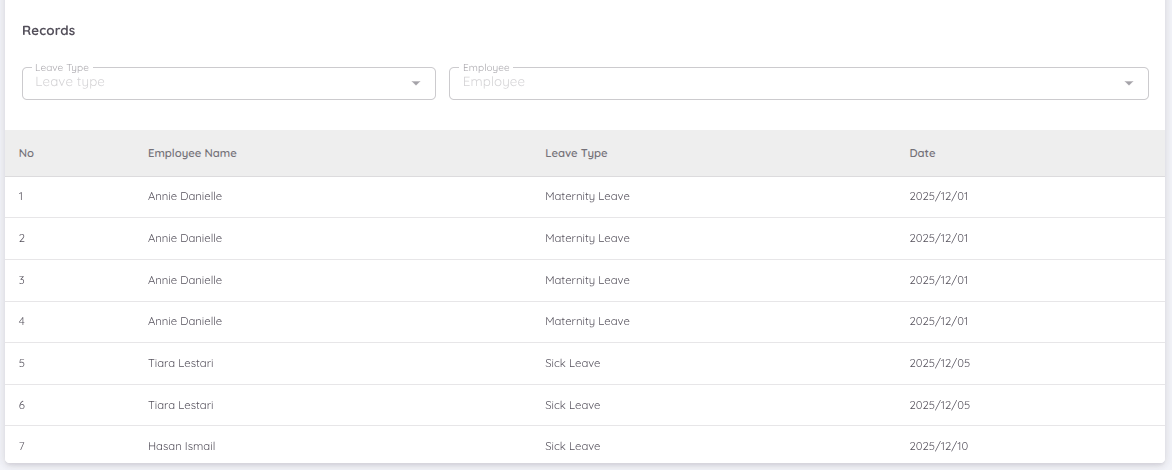
In addition to the visual chart, the analytics also provide a detailed leave records breakdown in a list format. This includes each employee’s name, the type of leave taken, and the corresponding leave date. This detailed view helps users perform deeper analysis and better understand leave patterns across the organization.
Attendance
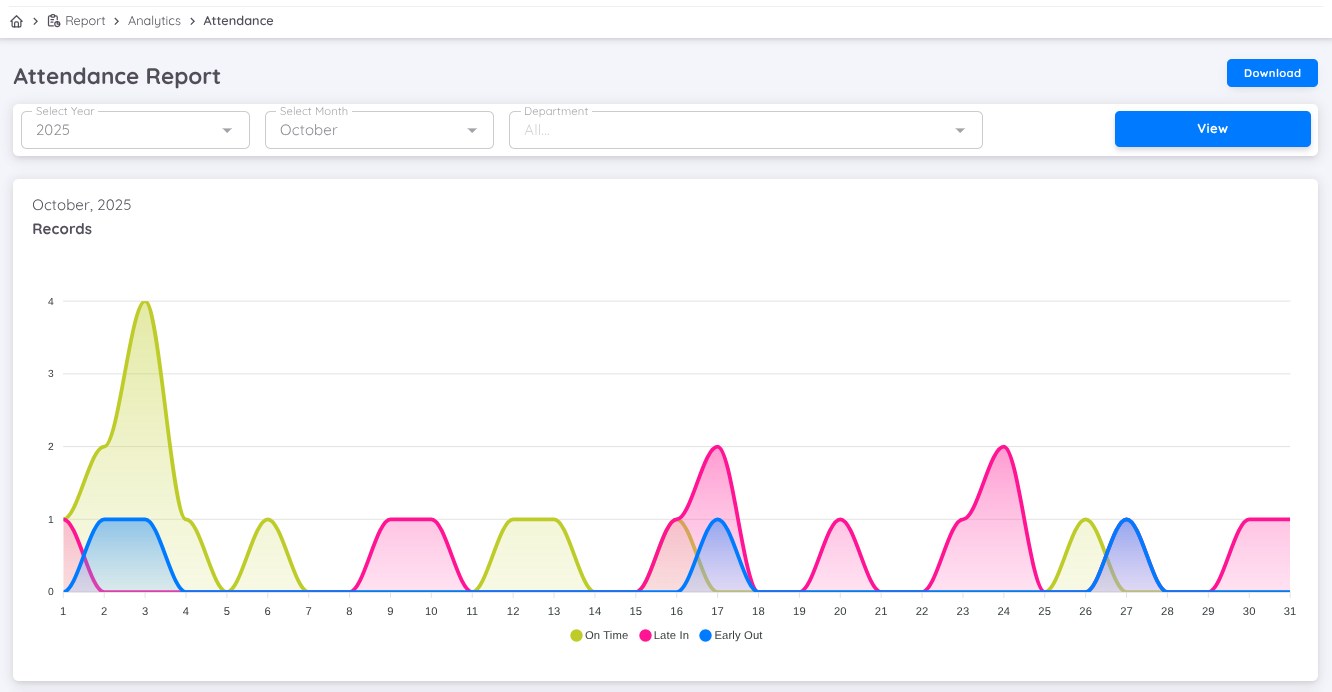
You can review daily attendance data for the selected month through a line chart. This chart shows employee attendance status (on time, late arrival, or early departure) per date, with the number of employees for each status. Additionally, you can see a comparison of employee attendance status through a bar chart, both for employees with regular work schedules and shifts.