Overtime Report
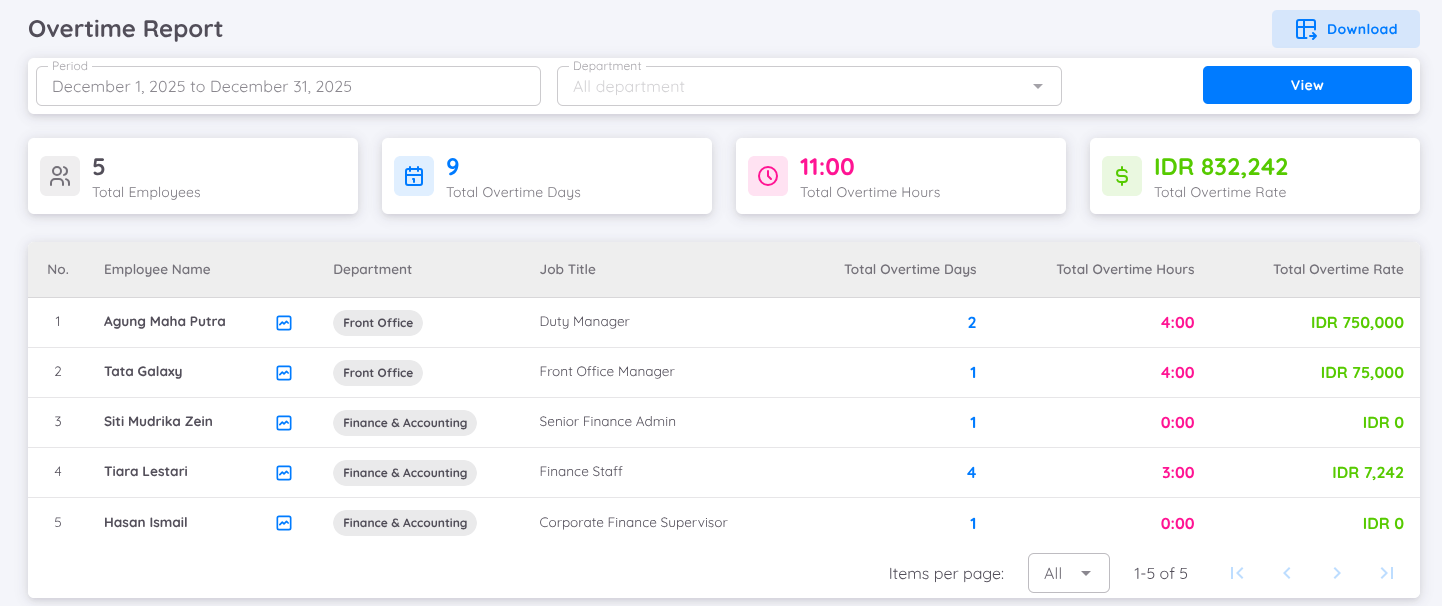
The Overtime Report provides a summary of employee overtime within a selected period. This report is useful for analyzing overtime consumption and monitoring overtime costs over time.
The report displays the following information:
- Total Employees with Overtime: The total number of employees who have taken overtime.
- Total Overtime Days: The total number of days overtime was recorded.
- Total Overtime Hours: The cumulative number of overtime hours.
- Total Overtime Rate: The total overtime compensation amount.
To view detailed data, you must first define the period you want to analyze. You can also filter the data by department.
The displayed data is broken down by employee name, showing the total overtime hours and the total overtime rate claimed by each employee.
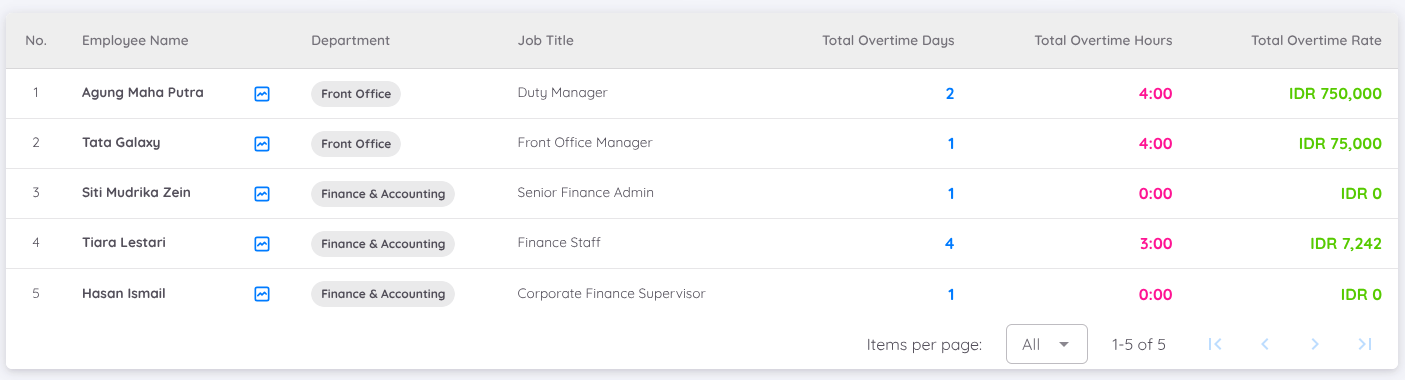
Additionally, you can view the changelog history for each employee, which provides details of overtime records that have been approved and/or verified.
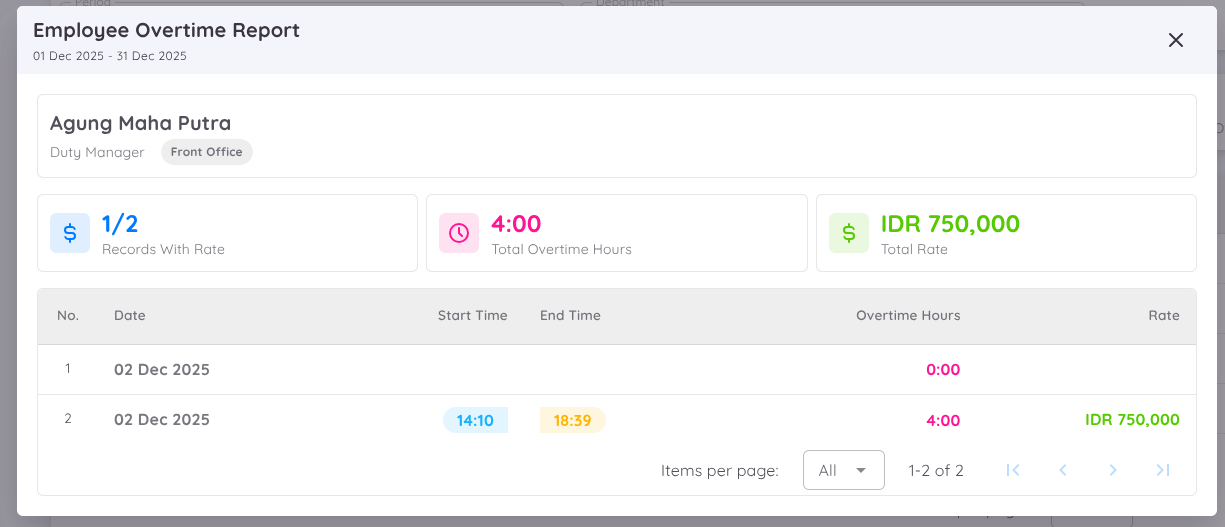
This view displays:
- The selected time period
- The number of overtime requests
- The number of records with rate
- Total overtime hours
- Total overtime rate claimed
It also lists all overtime entries that have been requested and/or assigned. For each record, users can see the start time and end time of the recorded overtime.
This feature can be accessed by clicking the graph button next to the employee’s name.