User
Overview
Users of Sentec EMS must register using their email account.
NOTE
The registered email must be unique.
User Profile
Each user can have access to one or more companies. The user's access to these companies is referred to as a user profile. Each user profile has access limitations defined by the permissions within it. User profiles may vary depending on the permissions granted.
NOTE
If a user has more than one user profile, they can switch profiles using the switch button located at the top left.
Permission
Below are the types of permissions available in Sentec EMS Management along with their descriptions:
| Permission Type | Description |
|---|---|
| Organization | Allows users to view all companies within one organization (view-only). |
| User | Grants access to view and manage users and user profiles. |
| Setup | Enables users to configure all features in Sentec EMS. |
| Property | Allows users to manage company information. |
| Employee | Provides access to manage employee data and information. |
| Contract | Allows users to manage employee contracts. |
| Schedule | Provides access to manage work schedules, plan work schedules, and create schedules. |
| Record | Allows users to manage employee attendance records. |
| Document | Provides access to manage documents related to contracts. |
| Payroll | Allows users to create payroll reports, approve reports, download salary slips, and tax documents. |
| Leave | Provides access to manage employee leave requests. |
| Leave Administration | Allows users to manage employee leave profiles (regular leave). |
| Leave Extra | Provides access to manage additional employee leave. |
| Vacancy | Allow users to create and manage job vacancies |
| Applicant | Grants access to view and manage the list of candidates in the recruitment process |
| Report | Enables users to access and manage reports generated within the system |
| Training | Allows users to create and manage training activities, define training topics and sessions, add participants, and verify participant attendance |
| Loan | Grants access to record employee loans and manage loan details, including payment scheduling, within the system. |
NOTE
Permission for users must be considered, as users with this permission can manage all user profiles.
Permission Mode
Berikut adalah penjelasan mengenai mode dan fungsinya:
| Mode | Function |
|---|---|
| Read | Users can only view data. |
| Write | Users can view and manipulate data. |
Role Template
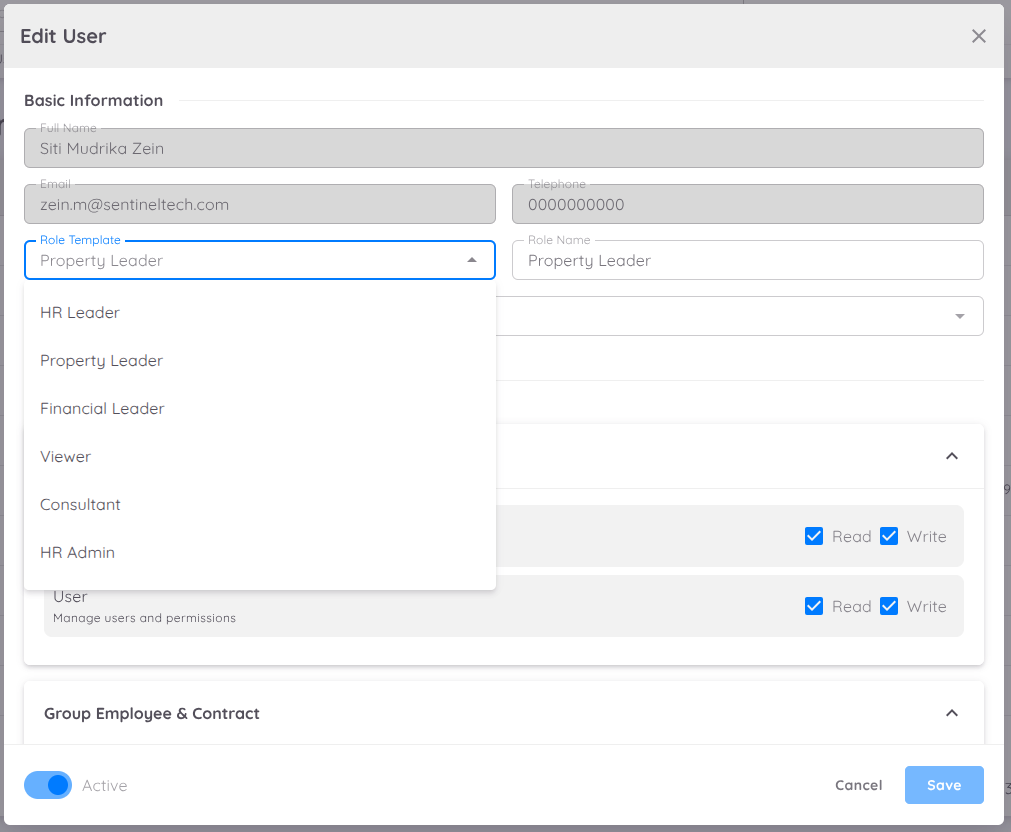
In addition to manual permission management, Sentec EMS now provides role templates to simplify user access to management.
| Role | Permission |
|---|---|
| Financial Leader | Read access for Administration and Employee & Contract groups; Read & Write access for Payroll; Read access for Basic and Training groups |
| HR Admin | Read-only access for Setup, Employee, Overtime, Property, Report, and Loan; Read & Write access for Recruitment group |
| HR Leader | Read & Write access for all groups in the system |
| Property Leader | Read & Write access for all groups, except Reports (Read-only) |
| Viewer | Read-only access for Administration, Employee, Attendance, and Basic (excluding Documents) |
| Consultant | Read & Write access for Setup, Attendance, Leave, and Recruitment; Read-only access for User, Employee & Contract, Payroll, Basic, and Training |
| Recruitment | Read-only access for Employee and Basic groups; Read & Write access for Training group |
| Training | Read-only access for Employee and Basic groups; Read & Write access for Training group |
User Scope
User Scope is an advanced feature of Permission Management that allows users to define and restrict access based on their management level.
This feature ensures that sensitive information and certain actions are only accessible to users who have the appropriate roles and responsibilities.
With User Scope restrictions, users will be granted access to view data according to the defined scope, including:
- Viewing and updating employee contracts.
- Creating and viewing payroll reports.
User Logs
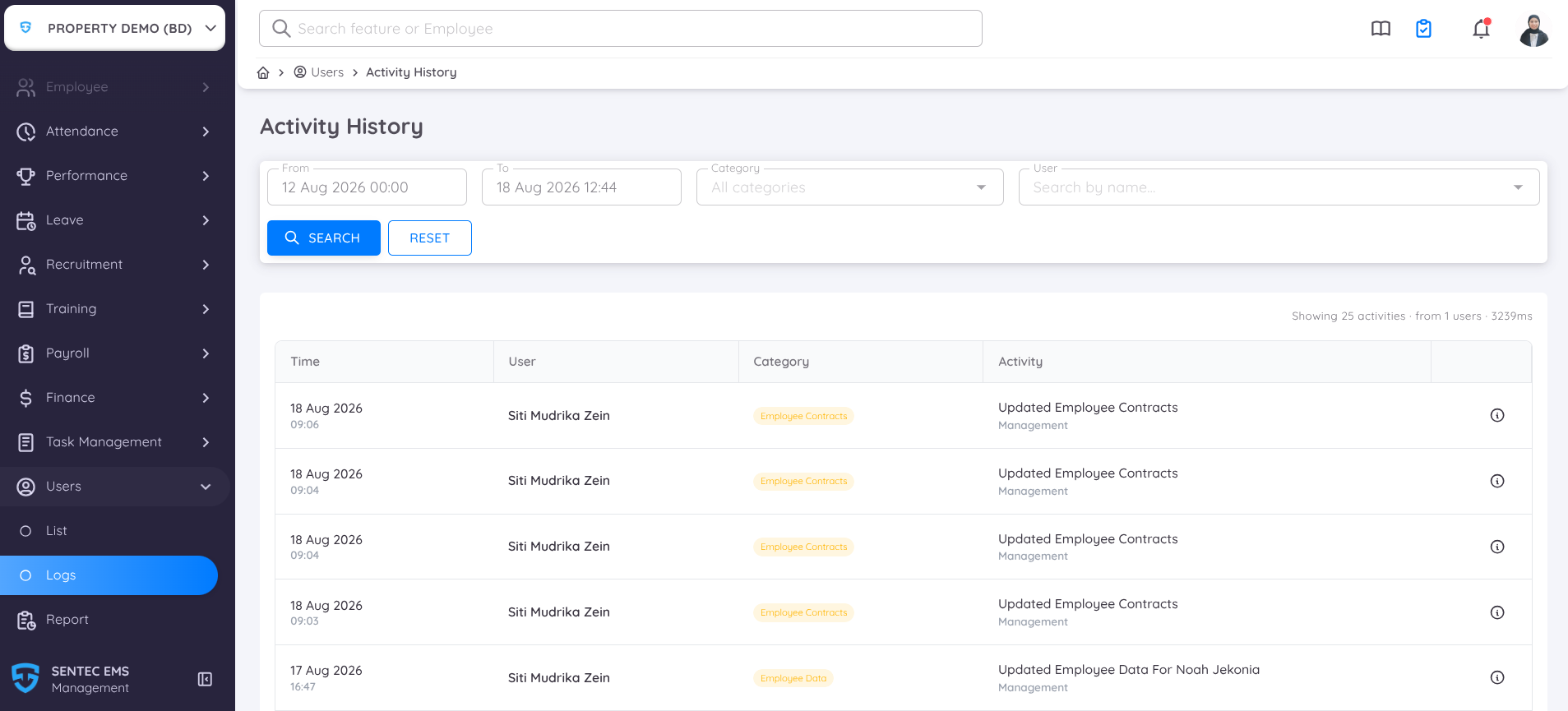
User Logs is an Activity History feature that allows management and administrators to monitor user activities performed within the system. It helps improve auditability, security, and operational transparency.
Users can:
- View system activities within a selected reporting period
- Filter activities by activity category
- Search for activities by user name
- Review detailed information for each logged activity
- Track user actions performed throughout the system
To access User Logs, navigate to User → User Logs.
When accessing the User Logs activity history, you can apply the following filters:
Period: The maximum reporting period for Activity History is 7 days. When a Start Date (From) is selected, the End Date (To) is automatically set to 7 days after the selected start date. Likewise, if the End Date (To) is selected first, the Start Date (From) is automatically adjusted to maintain a maximum reporting period of 7 days. You can also specify a time range for a more precise search.
Category: Displays only the activity types recorded by the system. Use this filter to narrow down the activity logs by category.
User: To find activities performed by a specific user, enter the user's name in the Search field. The report will display all matching activity logs based on the selected date range, time range, and filters.
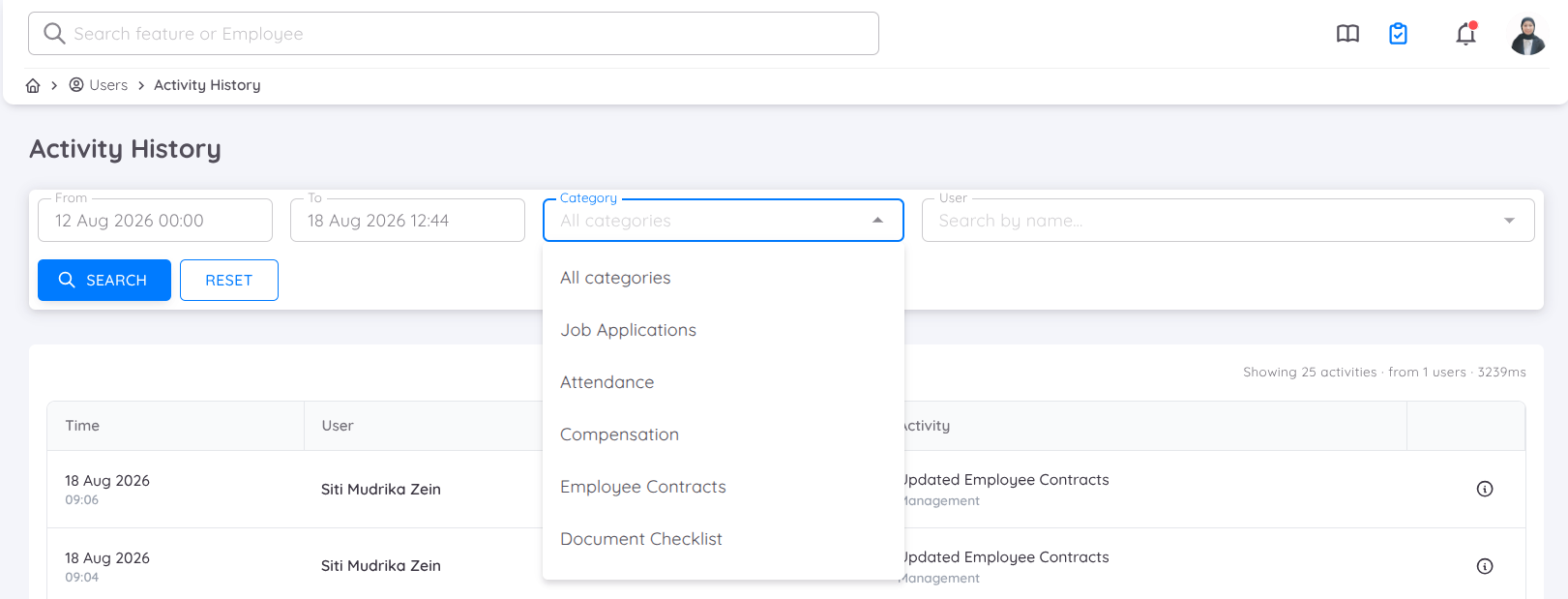
Users can also open each activity to view its complete details, allowing them to review all information related to the selected activity.
User Profiles
User Logs are also available from the User Profile, allowing management and administrators to review the activity history of a specific user directly from their profile.