Recruitment Report
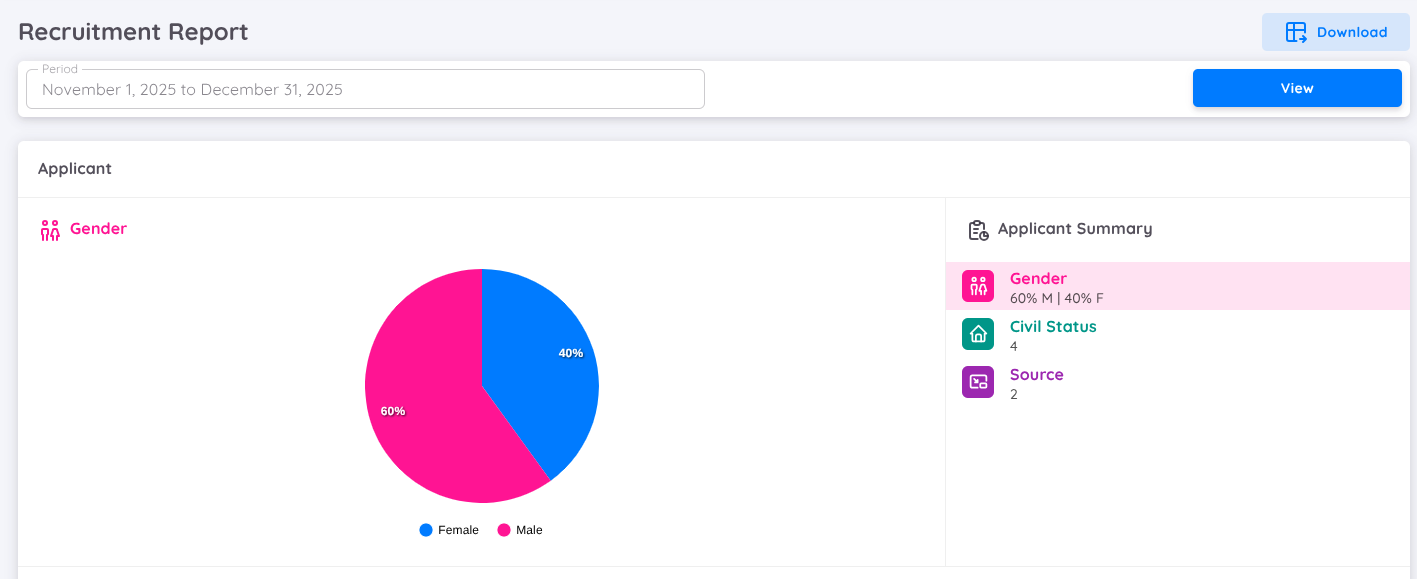
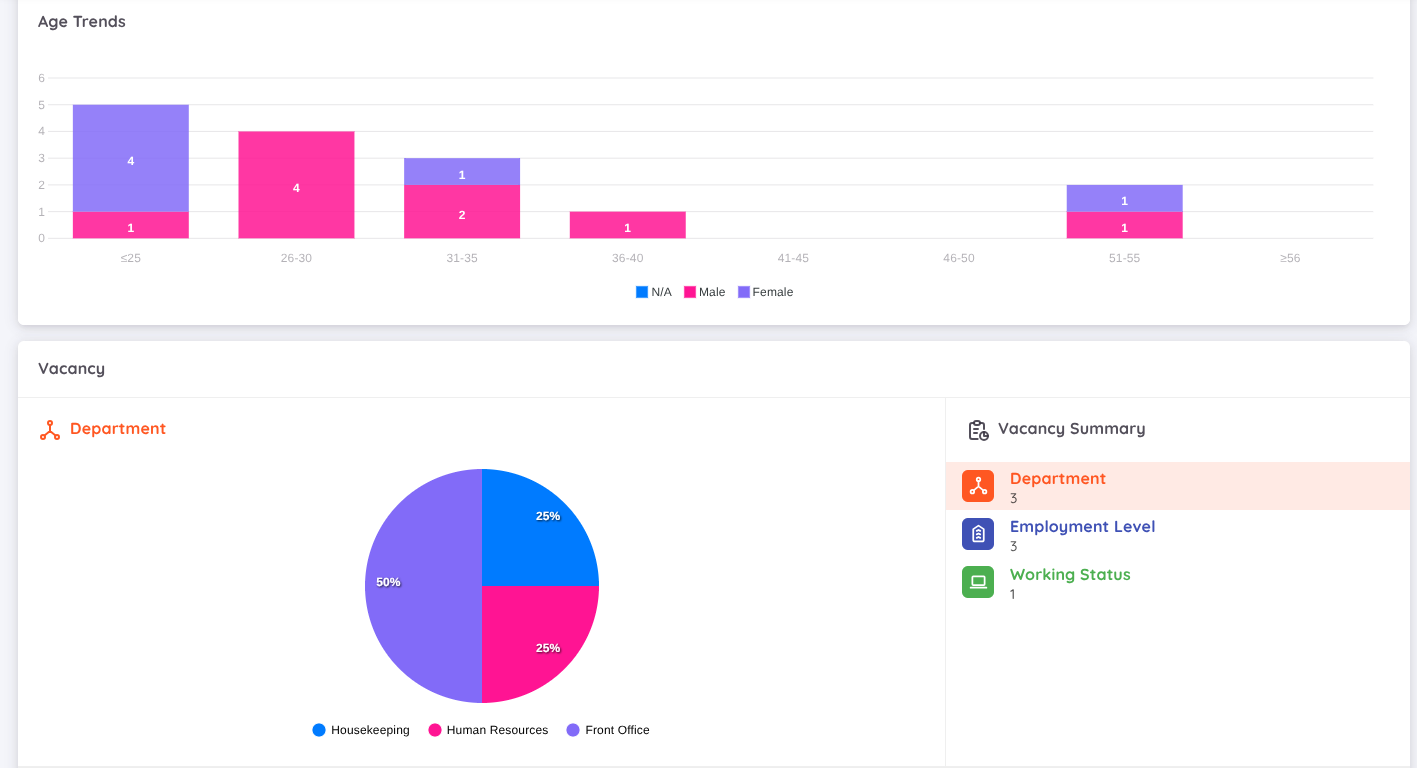
The Recruitment Report provides comprehensive insights to help HR teams analyze recruitment trends and make informed, data-driven decisions. The report is divided into two main sections: Applicant and Vacancy. Below is an overview of its key components:
Application Sources
Compares candidate registrations from various platforms such as the EMS Job Portal, LinkedIn, and other sources. This section helps identify the most effective recruitment channels.Departments with Job Openings
Displays the number of open positions per department, highlighting workforce demand across different units.Job Titles
Compares job openings by title to analyze demand for specific roles.Employment Level
Shows the distribution of candidates based on employment level.Working Status
Provides an overview of candidates based on their working status, helping HR understand applicant availability and employment conditions.Candidate Demographics
Presents demographic statistics, including:
- Age groups
- Gender distribution
- Vacancy List
Lists all posted vacancies with accessible details for further processing, such as:
- Total headcount required
- Total number of applicants
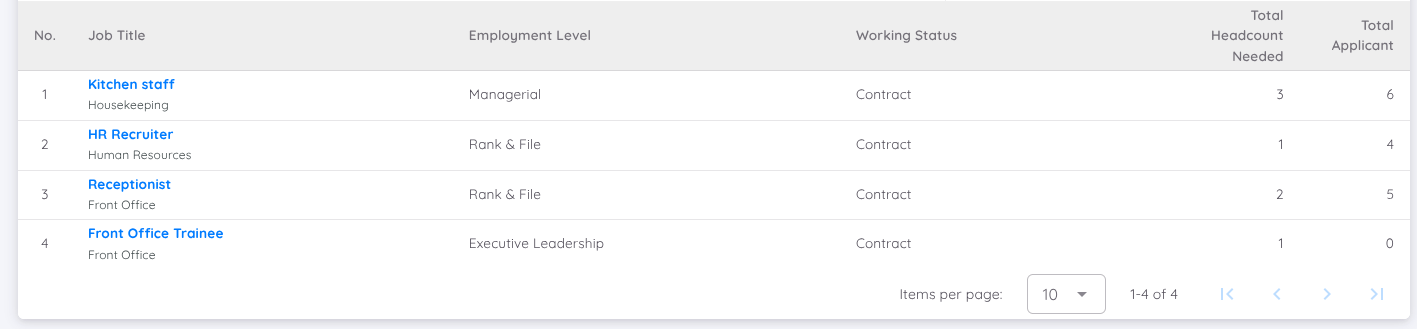
By clicking on a vacancy name, users can access a more detailed report for that specific vacancy.
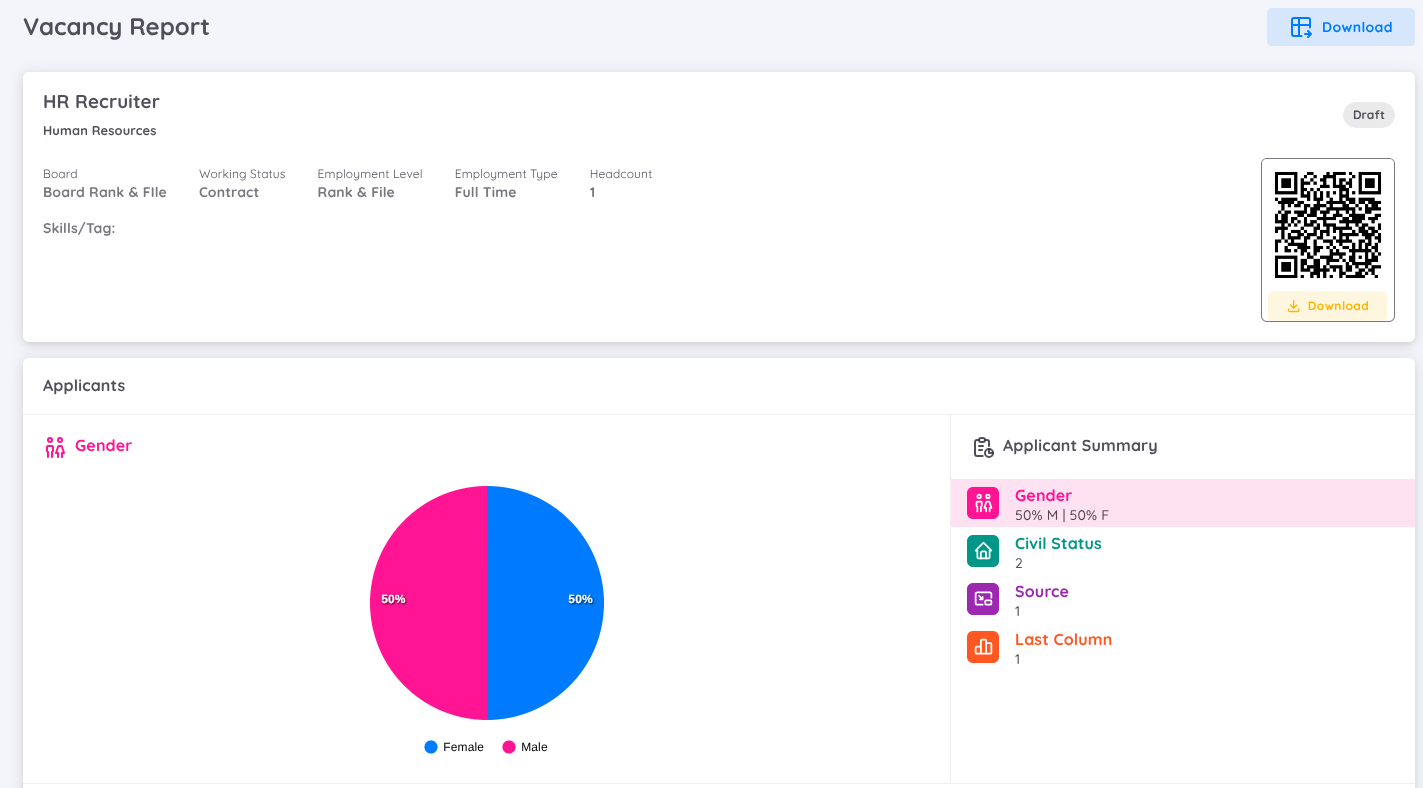
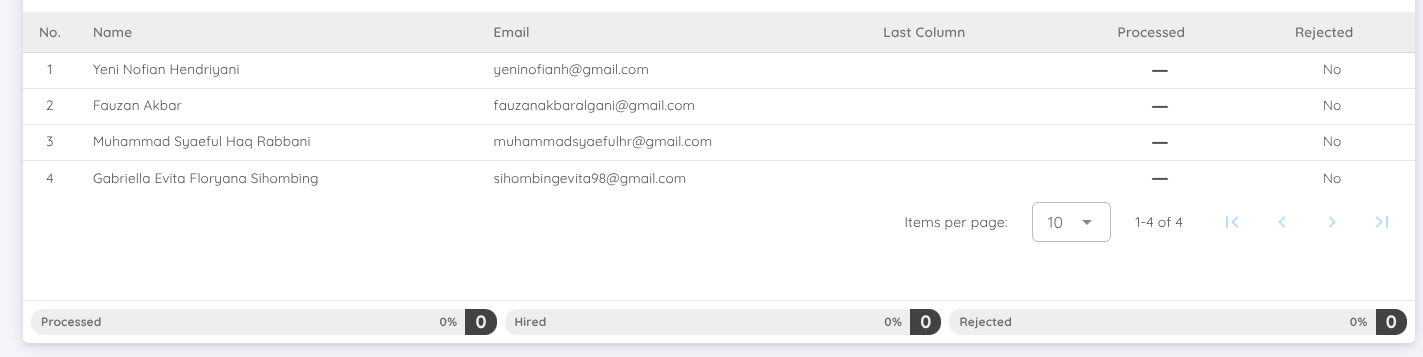
This view displays a detailed summary for each vacancy, including an in-depth overview of applicants for the selected position. It also lists individual applicant details, such as name, email address, and application status (e.g., Proceed or Rejected).
The report includes clear and intuitive visualizations to support quick and effective analysis, enabling HR teams to monitor recruitment performance and continuously refine their hiring strategies.